TIP 165: Viewing Thumbnails in the Assets List
| There are several ways to view images in a Package window, including the InDesign Layout view and the List view in the Assets tab. One of our favorite ways to view images in the Package window is also a new feature in GoLive CS2: the Thumbnail view in the Assets tab of the Package window (Figure 165). Figure 165. View images in the Package as thumbnails.
Open the Package window, switch to the Assets tab, and click the Thumbnail view icon |
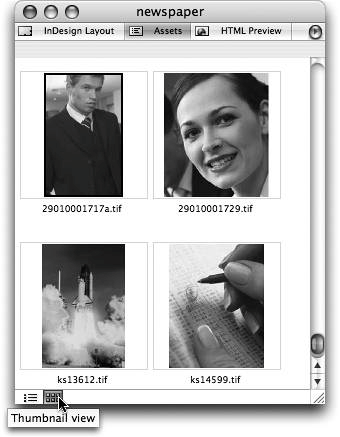
 in the bottom left corner to see image thumbnails. You'll want to scroll past all the stories because they're just XML files and don't have an interesting thumbnail icon. When you get to the Images section, you'll see a nice large thumbnail for each image. It's much easier to find the image you want based on these visual thumbnails instead of switching pages or looking at a long list of filenames.
EAN: N/A
Pages: 301