Adding a Digital Signature
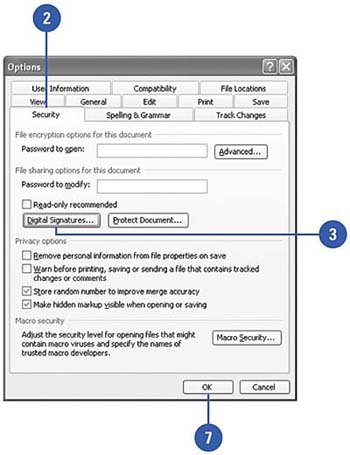
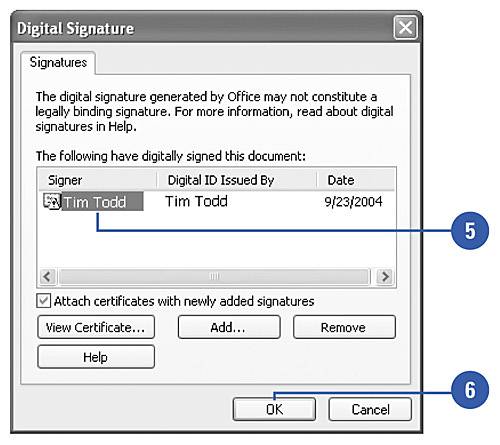
| Word uses Microsoft Authenticode technology to help you protect your Office documents and macros by using a digital signature , or digital ID. A digital ID protects the sender's identity. It contains a private key, which stays on the sender's computer, and a digital certificate that contains a public key. The certificate is sent with digitally signed documents and it contains the key to decipher messages from the sender. Before you can add a digital signature to a document, you need to get a certificate. You can get a digital signature and more information on security options from microsoft at: http://office.microsoft.com. Add a Digital Signature to a Document
 |




EAN: N/A
Pages: 310