Recipe4.21.Viewing File Activity
Recipe 4.21. Viewing File ActivityProblemYou want to view the file activity on a server. SolutionUsing a graphical user interfaceOpen the Sysinternals File Monitor (filemon.exe). It automatically starts logging all file activity when it is opened. To stop capturing file activity, click the Capture icon (magnifying glass), select File DiscussionEver hear your hard disks spinning or disk indicator light flashing, but you don't know why? You may not appear to have any applications open or running, but something is still accessing the hard disks. The Sysinternals File Monitor utility lets you see what processes are reading or writing files. It has some robust filter and search capability as well, which is helpful considering the fact that File Monitor can capture thousands of operations in a matter of minutes. Figure 4-2 shows sample output from File Monitor. Figure 4-2. File Monitor screen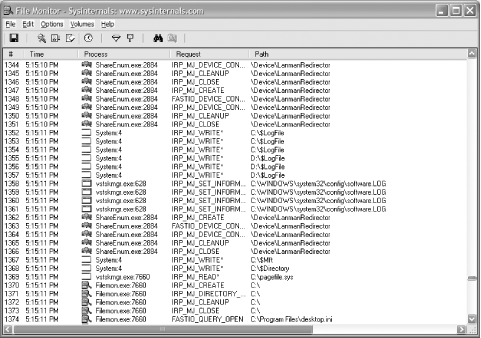 |


EAN: 2147483647
Pages: 380