Benefits of Wireless Networking
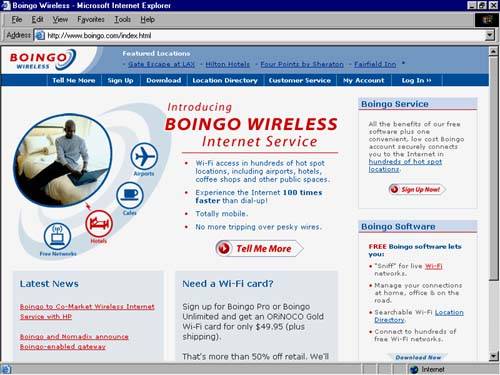
| Wireless networking offers some benefits that are apparent (no wires) and some that you might not have considered . The most obvious is portability. In particular, if you set up a laptop for wireless networking, you can roam around your house or around a coffee shop. (Starbucks, for instance, plans to offer wireless networks for Internet access for all of its stores in the next few years .) Moving Your Equipment at WillIt's true that a wireless network will allow you to surf the Internet by your pool, your fireplace, or anywhere else in your house (within about 150 feet, the range of most wireless equipment indoors; more details on that later). More commonly, though, you might find that wireless networking equipment allows you to move your desktop and laptop computers around the house or around your desk or across the room without unplugging cables. If your office uses a wireless network, you can buy networking equipment for your home that is compatible with your office equipment. That means you can pack up for the day and take your computer home, knowing that when you walk in the door, you will instantly be connected to the Internet, printers, and the other computers in your home that you have connected to your home wireless network. No more plugging and unplugging a laptop from the network. The convenience that wireless networking provides is obviously a good fit for laptops. But if you want to create a network quickly, and place the equipment wherever you want, without worrying about wires, a wireless network is really the way to go. Taking Wireless on the RoadMore and more hotels, airport business centers, convention centers, and other businesses are setting up public wireless networks that will help you to access the Internet, at high speed, while you travel. An airline layover can be used to catch up on e-mail and surf the Web. You can turn typical downtime into something really useful, or at least more fun than catching a nap at the terminal. Companies, including Boingo (Figure 1.4), Sputnik, and NetNearU, are working to create broadband access for travelers. Sometimes called visitor-based networks (VBNs), you can find Internet access when you travel at hotels, convention centers, and airports. Figure 1.4. Boingo offers wireless Internet access to travelers with 802.11b network adapters. You can use your Web browser to search Boingo (www.boingo.com), for example, to find public wireless access points, or hot spots , before you begin your next trip.  |

EAN: N/A
Pages: 118