The Explanation
| I l @ ve RuBoard |
The Explanation
We'll take two passes through the program's source code. The first pass highlights the meaning of each line, and the second explores specific implications and details. Figure 2.1 summarizes the parts of a C program.
Pass 1 Quick Synopsis
#include <stdio.h> include another file
This line tells the compiler to include information found in the file stdio.h , which is a standard part of all C compiler packages.
int main(void) a function name
C programs consist of one or more functions, the basic modules of a C program. This program consists of one function called main . The parentheses identify main() as a function name. The int indicates that the main() function returns an integer, and the void indicates that main() doesn't take any arguments. These are matters we'll go into later. Right now, just accept the int and void as part of the standard ANSI C way for defining main() . (If you have a pre-ANSI C compiler, omit the void .)
/* a simple program */ a comment
The symbols /* and */ enclose comments, remarks that help clarify a program. They are intended for the reader only and are ignored by the compiler.
{ beginning of the body of the function This opening brace marks the start of the statements that make up the function. The function definition is ended with a closing brace , } .
int num; a declaration statement
This statement announces that you are using a variable called num and that num will be an int (integer) type.
num = 1; an assignment statement
The statement num = 1; assigns the value 1 to the variable called num .
printf("I am a simple "); a print statement The first printf statement displays the phrase I am a simple on your screen, leaving the cursor on the same line.
printf("computer.\n"); another print statement The next printf statement tacks on computer to the end of the last phrase printed. The \n is code telling the computer to start a new line, that is, to move the cursor to the beginning of the next line.
printf ("My favorite number is %d because it is first.\n", num); The last printf statement prints the value of num (which is 1 ) embedded in the phrase in quotes. The %d instructs the computer where and in what form to print the value of num .
return 0; a return statement
A C function can furnish, or return, a number to the agency that used it. For the present, just regard this line as part of the ANSI C requirement for a properly written main() function.
} the end
As promised , the program ends with a closing brace.
Pass 2 Details
Now take a closer look at the program.
#include Directives and Header Files
#include <stdio.h>
The effect of #include <stdio.h> is the same as though you had typed the entire contents of the stdio.h file into your file at the point where the #include line appears. Include files provide a convenient way to share information that is common to many programs.
The stdio.h file is supplied as part of all C compiler packages. It contains information about input and output functions, such as printf() , for the compiler to use. The name stands for st an d ard i nput/ o utput h eader. C programmers call a collection of information that goes at the top of a file a header , and C implementations typically come with several header files. ANSI C has standardized which header files must be supplied.
Some programs need to include stdio.h ; some don't. The documentation for a particular C implementation should include a description of the functions in the C library. These function descriptions identify which header files are needed. For example, the description for printf() says to use stdio.h . Omitting the proper header file might not affect a particular program, but it is best not to rely on that. Each time this book uses library functions, it will use the include files specified by the ANSI standard for those functions. Because the compiler uses the information in the stdio.h to build a program, any information that the compiler does not use does not become part of the program. Therefore, including an unnecessary file does not make the final program any longer.
The #include statement is an example of a C preprocessor directive . In general, C compilers perform some preparatory work on source code before compiling; this is termed preprocessing .
Why Input and Output Are Not Built InPerhaps you are wondering why something as basic as input and output information isn't included automatically. One answer is that not all programs use this I/O (input/output) package, and part of the C philosophy is to avoid carrying unnecessary weight. Incidentally, the #include line is not even a C language statement! The # symbol in column 1 identifies the line as one to be handled by the C preprocessor before the compiler takes over. You will encounter more examples of preprocessor instructions later. |
The main() Function
int main(void)
True, main is a rather plain name, but it is the only choice available. A C program always begins execution with the function called main() . You are free to choose names for other functions you use, but main() must be there to start things. What about the parentheses? They identify main() as a function. You will learn more about functions soon. For now, just remember that functions are the basic modules of a C program.
The int is the main() function's return type. That means that the kind of value main() can return is an integer. Return where? To the operating system ”we'll come back to this question in Chapter 6, "C Control Statements: Looping."
The parentheses following a function name generally enclose information being passed along to the function. For this simple example, nothing is being passed along, so the parentheses contain the word void . (Chapter 11, "Character Strings and String Functions," introduces a second format that allows information to be passed to main() from the operating system.)
Pre-ANSI C programs usually omitted the int and the void :
main()
ANSI C also accepts this form. It interprets the empty parentheses to mean that you decline to say anything about the kind of information main() requires. Omitting the int has no effect, for C (both K&R and ANSI) assumes that a function has an int return type unless you state otherwise , but explicitly using int more clearly documents what's going on. Also, the C9X committee proposes removing support for the implicit int from the next version of the ANSI standard.
Comments
/* a simple program */
Using comments makes it easier for someone (including yourself) to understand your program. One nice feature of C comments is that they can be placed anywhere , even on the same line as the material they explain. A longer comment can be placed on its own line or even spread over more than one line. Everything between the opening /* and the closing */ is ignored by the compiler. Here are some valid and invalid comment forms:
/* This is a C comment. */ /* This comment is spread over two lines. */ /* You can do this, too. */ /* But this is invalid because there is no end marker.
C++ has a second comment syntax that many C compilers have adopted. Also, the C9X committee proposes recognizing this common practice by adding the new syntax to the next version of the ANSI standard. The new style uses the symbols // to create comments that are confined to a single line:
// Here is a comment confined to one line. int borg; // Such comments can go here, too.
Because the end of the line marks the end of the comment, this style needs comment markers just at the beginning of the comment.
Braces, Bodies, and Blocks
{ ... } Braces mark the beginning as well as the end of the body of a function. Their presence is mandatory. Only braces { } work for this purpose, not parentheses ( ) and not brackets [ ] .
Braces can also be used to gather statements within a function into a unit or block. If you are familiar with Pascal, ADA, Modula-2, or Algol, you will recognize the braces as being similar to begin and end in those languages.
Declarations
int num;
The declaration statement is one of C's most important features. This particular example declares two things. First, somewhere in the function, you have a variable called num . Second, the int proclaims num as an integer, that is, a number without a decimal point or fractional part. The compiler uses this information to arrange for suitable storage space in memory for the num variable. The semicolon at the end of the line identifies the line as a C statement or instruction. The semicolon is part of the statement, not just a separator between statements as it is in Pascal.
The word int is a C keyword identifying one of the basic C data types. Keywords are the words used to express a language, and you can't usurp them for other purposes. For instance, you can't use int as the name of a function or a variable.
In C, all variables should be declared before they are used. This means that you have to provide lists of all the variables you use in a program and that you have to show which type each variable is. Declaring variables is considered a good programming technique, and, in C, it is mandatory.
At this point, you probably have three questions. First, what are data types? Second, what choices do you have in selecting a name? Third, why do you have to declare variables at all? Let's look at some answers.
Data Types
C deals with several kinds (or types) of data: integers, characters , and floating point , for example. Declaring a variable to be an integer or a character type makes it possible for the computer to store, fetch, and interpret the data properly. You'll investigate the variety of available types in the next chapter.
Name Choice
We suggest that you use meaningful names for variables. The number of characters you can use varies among implementations, but the lower limit is at least eight characters. The ANSI C standard calls for up to 31 characters, except for external identifiers (see Chapter 13, "Storage Classes and Program Development" ), for which only six characters need to be recognized. (C9X raises the minimum values to 63 characters and 31 characters, respectively.) Actually, you can use more than the maximum number of characters, but the compiler won't pay attention to the extra characters. Therefore, on a system with an eight-character limit, shakespeare and shakespencil would be considered the same name because they have the same first eight characters. The characters at your disposal are the lowercase letters, the uppercase letters , the digits, and the underscore _ . The first character must be a letter or an underscore. Here are some examples:
| Valid Names | Invalid Names |
|---|---|
| wiggles | $Z]** |
| cat1 | 1cat |
| Hot_Tub | Hot-Tub |
| _kcab | don't |
Operating systems and compilers often use identifiers with one or two initial underscore characters, so it is better to avoid that usage yourself.
C names are case sensitive, meaning an uppercase letter is considered distinct from the corresponding lowercase letter. Therefore, socks is different from Socks or SOCKS .
Four Good Reasons to Declare Variables
-
Putting all the variables in one place makes it easier for a reader to grasp what the program is about. This is particularly true if you give your variables meaningful names (such as taxrate instead of r ). If the name doesn't suffice, use comments to explain what the variables represent. Documenting a program in this manner is one of the basic techniques of good programming.
-
Thinking about what to put into the variable declaration section encourages you to do some planning before plunging into writing a program. What information does the program need to get started? What exactly do I want the program to produce as output? What is the best way to represent the data?
-
Declaring variables helps prevent one of programming's more subtle and hard-to-find bugs , that of the misspelled variable name. For example, suppose that in some language, which lacks declarations, you made the statement
RADIUS1 = 20.4;
and that elsewhere in the program you mistyped
CIRCUM = 6.28 * RADIUSl;
You unwittingly replaced the numeral 1 with the letter l . That other language would create a new variable called RADIUSl and use whatever value it had (perhaps zero, perhaps garbage). CIRCUM would be given the wrong value, and you might have a heck of a time trying to find out why. This can't happen in C (unless you were silly enough to declare two such similar variable names) because the compiler will complain when the undeclared RADIUSl shows up.
-
Your C program will not compile if you don't declare your variables. If the preceding reasons fail to move you, you should give this one serious thought.
By the way, if you find that your compiler allows you to declare variables anywhere in a block and not just at the beginning, the compiler may be a C++ mode, for C++ does allow that behavior. (See Appendix G, "Answers to Review Questions." )
Assignment
num = 1;
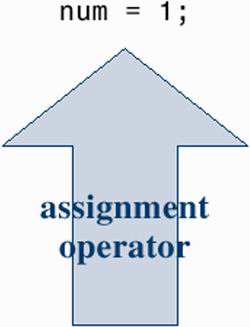
The assignment statement is one of the basic operations in C. This particular example means "assign the value 1 to the variable num ." The earlier int num; line allotted computer space for the variable num , and the assignment line gives it its value. You can assign num a different value later on, if you want; that is why num is termed a variable. Note that the assignment statement assigns a value from the right side to the left side. Also, the statement is completed with a semicolon, as shown in Figure 2.2.
Figure 2.2. The assignment statement is one of the basic C operations.
The printf() Function
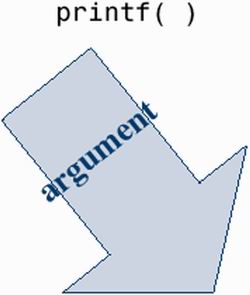
printf ("I am a simple "); printf ("computer.\n"); printf ("My favorite number is %d because it is first.\n",num); These lines all use a standard C function called printf() . The parentheses signify that printf is a function name. The material enclosed in the parentheses is information passed from the main() function to the printf() function. For example, the first line passes the phrase I am a simple to the printf() function. Such information is called the argument or parameter of a function (see Figure 2.3). What does the function printf() do with this argument? It looks at whatever lies between the double quotation marks and prints that text on the screen.
Figure 2.3. The function printf() with an argument.
This first printf() line is an example of how you call or invoke a function in C. You need type only the name of the function, placing the desired argument(s) within the parentheses. When the program reaches this line, control is turned over to the named function ( printf() in this case). When the function is finished with whatever it does, control is returned to the original (the calling ) function ” main() , in this example.
What about this next printf() line? It has the characters \n included in the quotes, and they didn't get printed! What's going on? The \n symbol means to start a new line. The \n combination (typed as two characters) represents a single character called the newline character . Its meaning is "start a new line at the far left margin." In other words, printing the newline character performs the same function as pressing the Enter key of a typical keyboard. Why not just use the Enter key when typing the printf() argument? Because that would be interpreted as an immediate command to your editor, not as an instruction to be stored in your source code. In other words, when you press the Enter key, the editor quits the current line on which you are working and starts a new one. The newline character, however, affects how the output of the program is displayed.
The newline character is an example of an escape sequence . An escape sequence is used to represent difficult- or impossible -to-type characters. Other examples are \t for tab and \b for backspace . In each case, the escape sequence begins with the backslash character, \ . We'll return to this subject in Chapter 3, "Data and C."
Well, that explains why the three printf() statements produced only two lines: The first print instruction didn't have a newline character in it, but the second and third did.
The final printf() line brings up another oddity: What happened to the %d when the line was printed? As you will recall, the output for this line was
My favorite number is 1 because it is first.
Aha! The digit 1 was substituted for the symbol group %d when the line was printed, and 1 was the value of the variable num . The %d is a placeholder to show where the value of num is to be printed. This line is similar to the following BASIC statement:
PRINT "My favorite number is "; num; " because it is first."
The C version does a little more than this, actually. The % alerts the program that a variable is to be printed at that location, and the d tells it to print the variable as a decimal (base 10) integer. The printf() function allows several choices for the format of printed variables, including hexadecimal (base 16) integers and numbers with decimal points. Indeed, the f in printf() is a reminder that this is a formatting print function.
Return Statement
return 0;
The int in int main(void) means that the main() function is supposed to return an integer. The ANSI C standard requires that main() behave that way. C functions that return values do so with a return statement, which consists of the keyword return followed by the returned value followed by a semicolon. If you leave out the return statement for main() , most compilers will chide you for the omission, but still compile the program. At this point, you can regard the return statement in main() as something required for logical consistency, but it has a practical use with some operating systems, including DOS and UNIX. I'll return to that topic in Chapter 11, "Character Strings and String Functions."
| I l @ ve RuBoard |

EAN: 2147483647
Pages: 314