Adding a Data Source

| 1. | From Solution Explorer, click on the AdventureWorksReports project. |
| 2. | From the Project menu, select Add New Item. |
| 3. | In the Project Items list box that appears, select Data Source. |
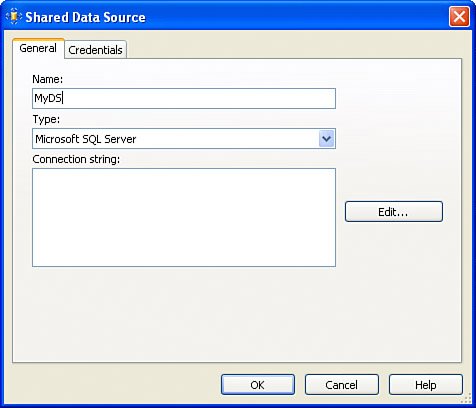
| 4. | For the name , type "MyDS". |
| 5. | Select Microsoft SQL Server. By now, your screen should resemble Figure 9.6. Figure 9.6. Creating a shared data source. |
| 6. | Enter the following connection string: Data Source=(localhost);Initial Catalog=AdventureWorks |
| 7. | On the Credentials tab, select the Use Windows Authentication (Integrated Security) option, if necessary. |
| 8. | Click OK. |

Microsoft SQL Server 2005 Reporting Services
ISBN: 0672327996
EAN: 2147483647
EAN: 2147483647
Year: 2004
Pages: 254
Pages: 254
Authors: Michael Lisin, Jim Joseph