Sharing Data Lists
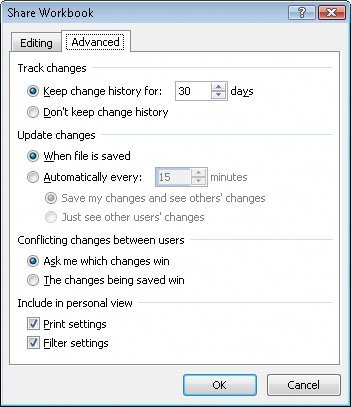
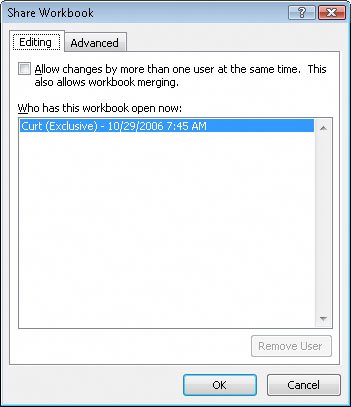
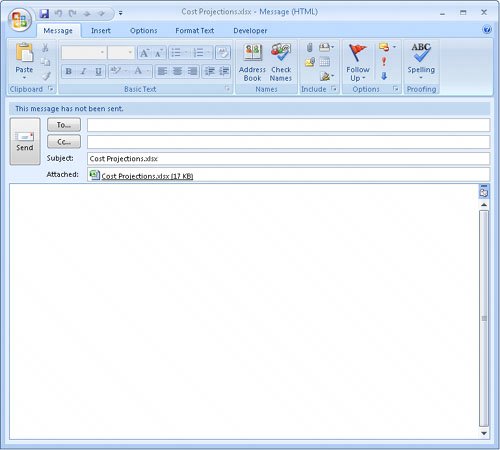
| To enable several users to edit a workbook simultaneously, you must turn on workbook sharing. Enabling more than one user to edit a workbook simultaneously is perfect for an enterprise such as Consolidated Messenger, whose employees need to look up customer information, shipment numbers, and details on mistaken deliveries. To turn on workbook sharing, on the Review tab, in the Changes group, click Share Workbook. In the Share Workbook dialog box that appears, turn on workbook sharing by selecting the Allow Changes By More Than One User At The Same Time check box. You can then set the sharing options for the active workbook by clicking the Advanced tab. Warning You can't share a workbook that contains a data table. To share the workbook, convert the table to a regular cell range by clicking the table, clicking the Design tab, and then, in the Tools group, clicking Convert to Range. Click Yes in the dialog box that appears to confirm the change. On the Advanced tab of the Share Workbook dialog box, two settings are of particular interest. The first determines whether Microsoft® Office Excel® 2007 should maintain a history of changes made to the workbook and, if so, for how many days it should keep the changes. The default setting is to retain a record of all changes made in the past 30 days, but you can enter any number of days you like. Unless it's critical that you keep all changes made to a workbook, you should probably stay with the default setting of 30 days so the list doesn't become too large and unwieldy. The other important setting on this tab deals with how Office Excel 2007 decides which of two conflicting changes in a cell should be applied. For example, a service level's price might change, and two of your colleagues might type in what they think the new price should be. Selecting the Ask Me Which Changes Win option button enables you to decide which price to keep. Another way to share a workbook is to send a copy of it to your colleagues via e-mail. Although the specific command to attach a file to an e-mail message is different in every program, the most common method of attaching a file is to create a new e-mail message and then click the Attach button, as in Microsoft Office Outlook® 2007. In this exercise, you turn on workbook sharing and then attach the file to an Office Outlook 2007 e-mail message. Note You must have Outlook 2007 installed on your computer to follow this procedure exactly.
USE the Cost Projections workbook in the practice file folder for this topic. This practice file is located in the My Documents\Microsoft Press\Excel SBS\Sharing folder. BE SURE TO start Excel 2007 before beginning this exercise. BE SURE TO start Outlook 2007 before beginning this exercise. OPEN the Cost Projections workbook.
CLOSE the Cost Projections workbook. |

EAN: 2147483647
Pages: 143