7.3 Building a Composite
User
Type
Recall that in our
Track
object we have a property that determines our preferred playback volume for the track. Suppose we'd like the jukebox system to be able to adjust the
balance
of tracks for playback, rather than just their volume. To accomplish this we'd need to store separate
volumes
for the left and right channels. The quick solution would be to edit the
Track
mapping to store these as separate mapped properties.
If we're serious about object-oriented architecture, we might want to encapsulate these two values into a
StereoVolume
class. This class could then simply be mapped as a
composite-element
, as we did with the
AlbumTrack
component in lines 38-45 of Example 5-4. This is still
fairly
straightforward.
There is a drawback to this simple approach. It's likely we will discover other places in our system where we want to represent
StereoVolume
values. If we build a playlist mechanism that can override a track's default playback options, and also want to be able to assign volume control to entire albums, suddenly we have to recreate the composite mapping in several places, and we might not do it consistently everywhere (this is more likely to be an issue with a more complex compound type, but you get the idea). The Hibernate reference documentation says that it's a good practice to use a composite user type in situations like this, and I agree.
7.3.1 How do I do that?
Let's start by defining the
StereoVolume
class. There's no reason for this to be an entity (to have its own existence independent of some other persistent object), so we'll write it as an ordinary (and rather simple) Java object. Example 7-4 shows the source.
NOTE
The JavaDoc in this example has been compressed to take less space. I'm trusting you not to do this in real projects... the downloadable version is more complete.
Example 7-4. StereoVolume.java, which is a value class representing a stereo volume level
1 package com.oreilly.hh;
2
3 import java.io.Serializable;
4
5 /**
6 * A simple structure encapsulating a stereo volume level.
7 */
8 public class StereoVolume implements Serializable {
9
10 /** The minimum legal volume level. */
11 public static final short MINIMUM = 0;
12
13 /** The maximum legal volume level. */
14 public static final short MAXIMUM = 100;
15
16 /** Stores the volume of the left channel. */
17 private short left;
18
19 /** Stores the volume of the right channel. */
20 private short right;
21
22 /** Default constructor sets full volume in both channels. */
23 public StereoVolume() {
24 this(MAXIMUM, MAXIMUM);
25 }
26
27 /** Constructor that establishes specific volume levels. */
28 public StereoVolume(short left, short right) {
29 setLeft(left);
30 setRight(right);
31 }
32
33 /**
34 * Helper method to make sure a volume value is legal.
35 * @param volume the level that is being set.
36 * @throws IllegalArgumentException if it is out of range.
37 */
38 private void checkVolume(short volume) {
39 if (volume < MINIMUM) {
40 throw new IllegalArgumentException("volume cannot be less than " +
41 MINIMUM);
42 }
43 if (volume > MAXIMUM) {
44 throw new IllegalArgumentException("volume cannot be more than " +
45 MAXIMUM);
46 }
47 }
48
49 /** Set the volume of the left channel. */
50 public void setLeft(short volume) {
51 checkVolume(volume);
52 left = volume;
53 }
54
55 /** Set the volume of the right channel. */
56 public void setRight(short volume) {
57 checkVolume(volume);
58 right = volume;
59 }
60
61 /** Get the volume of the left channel */
62 public short getLeft() {
63 return left;
64 }
65
66 /** Get the volume of the right channel. */
67 public short getRight() {
68 return right;
69 }
70
71 /** Format a readable version of the volume levels. */
72 public String toString() {
73 return "Volume[left=" + left + ", right=" + right + ']';
74 }
75
76 /**
77 * Compare whether another object is equal to this one.
78 * @param obj the object to be compared.
79 * @return true if obj is also a StereoVolume instance, and represents
80 * the same volume levels.
81 */
82 public boolean equals(Object obj) {
83 if (obj instanceof StereoVolume) {
84 StereoVolume other = (StereoVolume)obj;
85 return other.getLeft() == getLeft() &&
86 other.getRight() == getRight();
87 }
88 return false; // It wasn't a StereoVolume
89 }
90
91 /**
92 * Returns a hash code value for the StereoVolume. This method must be
93 * consistent with the {@link #equals} method.
94 */
95 public int hashCode() {
96 return (int)getLeft() * MAXIMUM * 10 + getRight();
97 }
98 }
Since we want to be able to persist this with Hibernate, we provide a default constructor (lines 22-25) and property accessors (lines 49-69). Correct support for the Java
equals()
and
hashCode()
contracts is also important, since this is a mutable value object (lines 76 to the end).
To let us persist this as a composite type, rather than defining it as a nested compound object each time we use it, we build a custom user type to manage its persistence. A lot of what we need to provide in our custom type is the same as what we put in
SourceMediaType
(Example 7-1). We'll focus discussion on the new and interesting stuff. Example 7-5 shows one way to persist
StereoVolume
as a composite user type.
Example 7-5. StereoVolumeType.java, which is a composite user type to persist StereoVolume
1 package com.oreilly.hh;
2
3 import java.io.Serializable;
4 import java.sql.PreparedStatement;
5 import java.sql.ResultSet;
6 import java.sql.SQLException;
7 import java.sql.Types;
8
9 import net.sf.hibernate.CompositeUserType;
10 import net.sf.hibernate.Hibernate;
11 import net.sf.hibernate.HibernateException;
12 import net.sf.hibernate.engine.SessionImplementor;
13 import net.sf.hibernate.type.Type;
14
15 /**
16 * Manages persistence for the {@link StereoVolume} composite type.
17 */
18 public class StereoVolumeType implements CompositeUserType {
19
20 /**
21 * Get the names of the properties that make up this composite type,
22 * and that may be used in a query involving it.
23 */
24 public String[] getPropertyNames() {
25 // Allocate a new response each time, because arrays are mutable
26 return new String[] { "left", "right" };
27 }
28
29 /**
30 * Get the types associated with the properties that make up this
31 * composite type.
32 *
33 * @return the types of the parameters reported by
34 * {@link #getPropertynames}, in the same order.
35 */
36 public Type[] getPropertyTypes() {
37 return new Type[] { Hibernate.SHORT, Hibernate.SHORT };
38 }
39
40 /**
41 * Look up the value of one of the properties making up this composite
42 * type.
43 *
44 * @param component a {@link StereoVolume} instance being managed.
45 * @param property the index of the desired property.
46 * @return the corresponding value.
47 * @see #getPropertyNames
48 */
49 public Object getPropertyValue(Object component, int property) {
50 StereoVolume volume = (StereoVolume)component;
51 short result;
52
53 switch (property) {
54
55 case 0:
56 result = volume.getLeft();
57 break;
58
59 case 1:
60 result = volume.getRight();
61 break;
62
63 default:
64 throw new IllegalArgumentException("unknown property: " +
65 property);
66 }
67
68 return new Short(result);
69 }
70
71 /**
72 * Set the value of one of the properties making up this composite
73 * type.
74 *
75 * @param component a {@link StereoVolume} instance being managed.
76 * @param property the index of the desired property.
77 * @object value the new value to be established.
78 * @see #getPropertyNames
79 */
80 public void setPropertyValue(Object component, int property, Object value)
81 {
82 StereoVolume volume = (StereoVolume)component;
83 short newLevel = ((Short)value).shortValue();
84 switch (property) {
85
86 case 0:
87 volume.setLeft(newLevel);
88 break;
89
90 case 1:
91 volume.setRight(newLevel);
92 break;
93
94 default:
95 throw new IllegalArgumentException("unknown property: " +
96 property);
97 }
98 }
99
100 /**
101 * Determine the class that is returned by {@link #nullSafeGet}.
102 *
103 * @return {@link StereoVolume}, the actual type returned
104 * by {@link #nullSafeGet}.
105 */
106 public Class returnedClass() {
107 return StereoVolume.class;
108 }
109
110 /**
111 * Compare two instances of the class mapped by this type for persistence
112 * "equality".
113 *
114 * @param x first object to be compared.
115 * @param y second object to be compared.
116 * @return <code>true</code> iff both represent the same volume levels.
117 * @throws ClassCastException if x or y isn't a {@link StereoVolume}.
118 */
119 public boolean equals(Object x, Object y) {
120 if (x == y) { // This is a trivial success
121 return true;
122 }
123 if (x == null y == null) { // Don't blow up if either is null!
124 return false;
125 }
126 // Now it's safe to delegate to the class' own sense of equality
127 return ((StereoVolume)x).equals(y);
128 }
129
130 /**
131 * Return a deep copy of the persistent state, stopping at
132 * entities and collections.
133 *
134 * @param value the object whose state is to be copied.
135 * @return the same object, since enumeration instances are singletons.
136 * @throws ClassCastException for non {@link StereoVolume} values.
137 */
138 public Object deepCopy(Object value) {
139 if (value == null) return null;
140 StereoVolume volume = (StereoVolume)value;
141 return new StereoVolume(volume.getLeft(), volume.getRight());
142 }
143
144 /**
145 * Indicates whether objects managed by this type are mutable.
146 *
147 * @return <code>true</code>, since {@link StereoVolume} is mutable.
148 */
149 public boolean isMutable() {
150 return true;
151 }
152
153 /**
154 * Retrieve an instance of the mapped class from a JDBC {@link ResultSet}.
155 *
156 * @param rs the results from which the instance should be retrieved.
157 * @param names the columns from which the instance should be retrieved.
158 * @param session, an extension of the normal Hibernate session interface
159 * that gives you much more access to the internals.
160 * @param owner the entity containing the value being retrieved.
161 * @return the retrieved {@link StereoVolume} value, or <code>null</code>.
162 * @throws HibernateException if there is a problem performing the mapping.
163 * @throws SQLException if there is a problem accessing the database.
164 */
165 public Object nullSafeGet(ResultSet rs, String[] names,
166 SessionImplementor session, Object owner)
167 throws HibernateException, SQLException
168 {
169 Short left = (Short) Hibernate.SHORT.nullSafeGet(rs, names[0]);
170 Short right = (Short) Hibernate.SHORT.nullSafeGet(rs, names[1]);
171
172 if (left == null right == null) {
173 return null; // We don't have a specified volume for the channels
174 }
175
176 return new StereoVolume(left.shortValue(), right.shortValue());
177 }
178
179 /**
180 * Write an instance of the mapped class to a {@link PreparedStatement},
181 * handling null values.
182 *
183 * @param st a JDBC prepared statement.
184 * @param value the StereoVolume value to write.
185 * @param index the parameter index within the prepared statement at which
186 * this value is to be written.
187 * @param session, an extension of the normal Hibernate session interface
188 * that gives you much more access to the internals.
189 * @throws HibernateException if there is a problem performing the mapping.
190 * @throws SQLException if there is a problem accessing the database.
191 */
192 public void nullSafeSet(PreparedStatement st, Object value, int index,
193 SessionImplementor session)
194 throws HibernateException, SQLException
195 {
196 if (value == null) {
197 Hibernate.SHORT.nullSafeSet(st, null, index);
198 Hibernate.SHORT.nullSafeSet(st, null, index + 1);
199 }
200 else {
201 StereoVolume vol = (StereoVolume)value;
202 Hibernate.SHORT.nullSafeSet(st, new Short(vol.getLeft()), index);
203 Hibernate.SHORT.nullSafeSet(st, new Short(vol.getRight()),
204 index + 1);
205 }
206 }
207
208 /**
209 * Reconstitute a working instance of the managed class from the cache.
210 *
211 * @param cached the serializable version that was in the cache.
212 * @param session, an extension of the normal Hibernate session interface
213 * that gives you much more access to the internals.
214 * @param owner the entity containing the value being retrieved.
215 * @return a copy of the value as a {@link StereoVolume} instance.
216 */
217 public Object assemble(Serializable cached, SessionImplementor session,
218 Object owner)
219 {
220 // Our value type happens to be serializable, so we have an easy out.
221 return deepCopy(cached);
222 }
223
224 /**
225 * Translate an instance of the managed class into a serializable form to
226 * be stored in the cache.
227 *
228 * @param session, an extension of the normal Hibernate session interface
229 * that gives you much more access to the internals.
230 * @param value the StereoVolume value to be cached.
231 * @return a serializable copy of the value.
232 */
233 public Serializable disassemble(Object value,
234 SessionImplementor session) {
235 return (Serializable) deepCopy(value);
236 }
237 }
The
getPropertyNames()
and
getPropertyTypes()
methods
at lines 20 and 29 are how Hibernate
knows
the 'pieces' that make up the composite type. These are the values that are available when you write HQL queries using the type. In our case they
correspond
to the properties of the actual
StereoVolume
class we're
persisting
, but that isn't required. This is our opportunity, for example, to provide a friendly property interface to some legacy object that wasn't designed for persistence at all.
The translation between the virtual properties provided by the composite user type and the real data on which they are based is handled by the
getPropertyValue()
and
setPropertyValue()
methods in lines 40- 98. In essence, Hibernate hands us an instance of the type we're supposed to manage, about which it makes no assumptions at all, and says 'hey, give me the second property' or 'set the first property to this value. ' You can see how this lets us do any work needed to add a property interface to old or third-party code. In this case, since we don't actually need that power, the hoops we need to jump through to pass the property manipulation on to the underlying
StereoVolume
class are just
boilerplate
.
The
next
lengthy stretch of code consists of methods we've seen before in Example 7-1. Some of the differences in this version are interesting. Most of the changes have to do with the fact that, unlike
SourceMedia
, our
StereoVolume
class is mutable ”it contains values that can be changed. So we have to come up with full
implementations
for some methods we finessed last time: comparing instances in
equals()
at line 110, and making copies in
deepCopy()
at line 130.
The actual persistence methods,
nullSafeGet()
at line 153 and
nullSafeSet()
at 179, are quite similar to Example 7-1, with one difference we didn't need to exploit. They both have a
SessionImplementor
parameter, which gives you some really deep access to the gears and pulleys that make Hibernate work. This is only needed for truly complex persistence challenges, and it is well outside the scope of this book. If you need to use
SessionImplementor
methods, you're doing something quite tricky, and you must have a profound understanding of the architecture of Hibernate. You're
essentially
writing an extension to the system, and you probably need to study the source code to develop the requisite level of expertise.
Finally, the
assemble()
method at line 208 and
disassemble()
at 224 allow custom types to support caching of values that aren't already
Serializable
. They give our persistence manager a place to copy any important values into another object that is capable of being serialized, using any means necessary. Since it was trivial to make
StereoVolume
serializable in the first place, we don't need this flexibility either. Our implementation can just make copies of the serializable
StereoVolume
instances for storing in the cache. (We make copies because, again, our data class is mutable, and it wouldn't do to have cached values mysteriously changing.)
NOTE
That was a lot of work for a simple value class, but the example is a good starting point for more complicated needs.
All right, we've created this
beast
, how do we use it? Example 7-6 shows how to enhance the
volume
property in the
Track
mapping document to use the new composite type. Let's also take this opportunity to add it to
Track's toString()
method so we can see it in test output.
Example 7-6. Changes to Track.hbm.xml to use StereoVolume
...
<property name="volume" type="
com.oreilly.hh.StereoVolumeType
">
<meta attribute="field-description">How loud to play the track</meta>
<meta attribute="use-in-tostring">true</meta>
<column name="VOL_LEFT"/>
<column name="VOL_RIGHT"/>
</property>
...
Notice again that we supply the name of our custom user type, responsible for managing persistence, rather than the raw type that it is managing. This is just like Example 7-2. Also, our composite type uses two columns to store its data, so we need to supply two column names here.
Now when we regenerate the Java source for
Track
by running
ant
codegen
, we get the results shown in Example 7-7.
Example 7-7. Changes to the generated Track.java source
...
/** nullable persistent field */
private
com.oreilly.hh.StereoVolume
volume;
...
/** full constructor */
public Track(String title, String filePath, Date playTime, Date added, com.
oreilly.hh.
StereoVolume
volume, com.oreilly.hh.SourceMedia sourceMedia, Set
artists, Set comments) {
...
}
...
/**
* How loud to play the track
*/
public
com.oreilly.hh.StereoVolume
getVolume() {
return this.volume;
}
public void setVolume(
com.oreilly.hh.StereoVolume
volume) {
this.volume = volume;
}
...
public String toString() {
return new ToStringBuilder(this)
.append("id", getId())
.append("title", getTitle())
.append("volume", getVolume())
.append("sourceMedia", getSourceMedia())
.toString();
}
...
At this point we are ready to run
ant schema
to recreate the database tables. Example 7-8 shows the relevant output.
Example 7-8. Creation of the Track schema from the new mapping
...
[schemaexport] create table TRACK (
[schemaexport] TRACK_ID INTEGER NOT NULL IDENTITY,
[schemaexport] title VARCHAR(255) not null,
[schemaexport] filePath VARCHAR(255) not null,
[schemaexport] playTime TIME,
[schemaexport] added DATE,
[schemaexport]
VOL_LEFT SMALLINT,
[schemaexport]
VOL_RIGHT SMALLINT,
[schemaexport] sourceMedia VARCHAR(255)
[schemaexport] )
...
Let's beef up the data creation test so it can work with the new
Track
structure. Example 7-9 shows the kind of changes we need.
Example 7-9. Changes required to CreateTest.java to test stereo volumes
...
// Create some data and persist it
tx = session.beginTransaction();
StereoVolume fullVolume = new StereoVolume();
Track track = new Track("Russian Trance",
"vol2/album610/track02.mp3",
Time.valueOf("00:03:30"), new Date(),
fullVolume
, SourceMedia.CD,
new HashSet(), new HashSet());
addTrackArtist(track, getArtist("PPK", true, session));
session.save(track);
...
// The other tracks created use fullVolume too, until...
...
track = new Track("Test Tone 1",
"vol2/singles/test01.mp3",
Time.valueOf("00:00:10"), new Date(),
new StereoVolume((short)50, (short)75)
, null,
new HashSet(), new HashSet());
track.getComments().add("Pink noise to test equalization");
session.save(track);
...
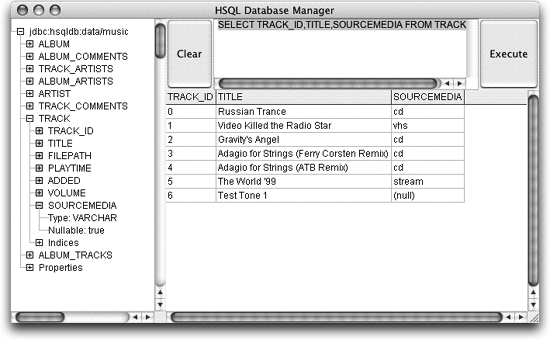
Now if we execute
ant ctest
and look at the results with
ant db
, we'll find values like those shown in Figure 7-2.
Figure 7-2. Stereo volume information in the TRACK table
We only need to make the single change, shown in Example 7-10, to
AlbumTest
to make it compatible with this new
Track
format.
Example 7-10. Change to AlbumTest.java to support stereo track volumes
...
private static void addAlbumTrack(Album album, String title, String file,
Time length, Artist artist, int disc,
int positionOnDisc, Session session)
throws HibernateException
{
Track track = new Track(title, file, length, new Date(),
new StereoVolume()
, SourceMedia.CD,
new HashSet(), new HashSet());
...
This lets us run
ant atest
, and see the stereo volume information shown by the new version of
Track's toString()
method in Example 7-11.
Example 7-11. An album with stereo track information
atest:
[java] com.oreilly.hh.Album@a49182[id=0,title=Counterfeit e.p.,tracks=[com.
oreilly.hh.AlbumTrack@548719[track=com.oreilly.hh.Track@719d5b[id=<null>,
title=Compulsion,
volume=Volume[left=100, right=100],
sourceMedia=Compact Disc]],
com.oreilly.hh.AlbumTrack@afebc9[track=com.oreilly.hh.Track@a0fbd6[id=<null>,
title=In a Manner of Speaking,
volume=Volume[left=100,
right=100],
sourceMedia=Compact Disc]], com.oreilly.hh.
AlbumTrack@f5c8fb[track=com.oreilly.hh.Track@5dfb22[id=<null>,title=Smile in the
Crowd,
volume=Volume[left=100, right=100],
sourceMedia=Compact Disc]], com.oreilly.
hh.AlbumTrack@128f03[track=com.oreilly.hh.Track@6b2ab7[id=<null>,
title=Gone,
volume=Volume[left=100, right=100],
sourceMedia=Compact Disc]], com.
oreilly.hh.AlbumTrack@c17a8c[track=com.oreilly.hh.Track@549f0e[id=<null>,
title=Never Turn Your Back on Mother Earth,
volume=Volume[left=100,
right=100],
sourceMedia=Compact Disc]], com.oreilly.hh.
AlbumTrack@9652dd[track=com.oreilly.hh.Track@1a67fe[id=<null>,title=Motherless
Child,
volume=Volume[left=100, right=100],
sourceMedia=Compact Disc]]]]
Well, that may have been more
in-depth
than you wanted right now about creating custom types, but someday you might come back and mine this example for the exact nugget you're looking for. In the meantime, let's change gears and look at something new, simple, and completely different. The next chapter introduces criteria queries, a unique and very programmer-friendly capability in Hibernate.
NOTE
Phew!
|