Exercise 73: North Dakota Plastics
| The easiest method for accomplishing this task is to right-click on the KDE desktop and choose Configure Desktop. This brings up the dialog box shown in Figure 4.69. Figure 4.69. Configure the desktop.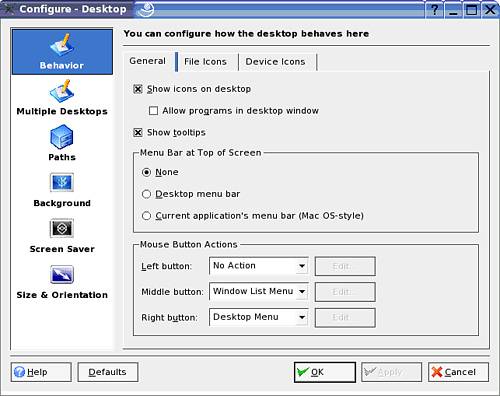 Click on Screen Saver in the left column and set the configuration settings as shown in Figure 4.70 Figure 4.70. Configure the screensaver to meet the customer's needs.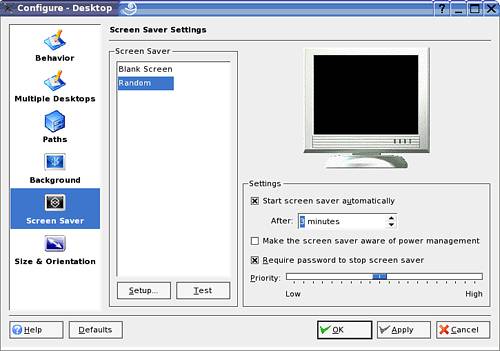 |

NovellR Linux Certification Practium Lab Manual
ISBN: N/A
EAN: N/A
EAN: N/A
Year: 2004
Pages: 192
Pages: 192