Displaying Outbreak Reports
| The Outbreak Management tab provides a drop-down link to outbreak reports, as shown in Figure 4-15. Figure 4-15. Select Outbreak Reports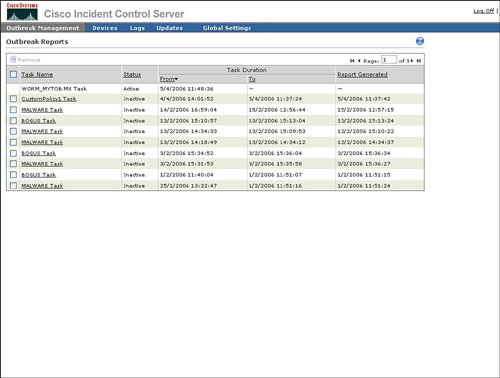 The selection of the incident or worm from the Outbreak Management Task from this list will display the outbreak report for that outbreak management task. Information in outbreak reports includes the following:
An example of the beginning of an outbreak report is provided in Figure 4-16. Figure 4-16. Sample of Outbreak Report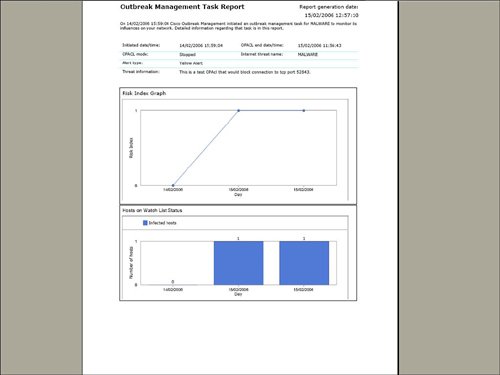 Cisco ICS includes configurable settings to manage the self-defending characteristics of the network to contain a network incident. To access the outbreak settings that are a part of Cisco ICS, select Outbreak Settings from the Outbreak Management list, as shown in Figure 4-17. Components of outbreak settings include the following:
Figure 4-17. Outbreak Global Settings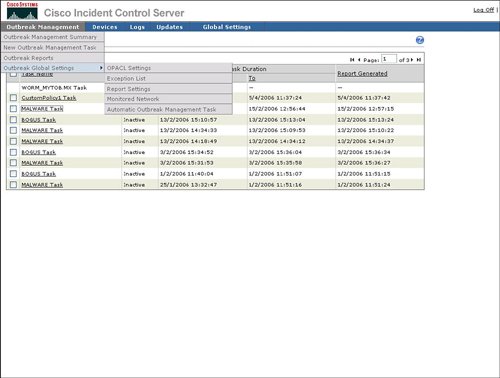 The following sections describe the outbreak settings in more detail. OPACL SettingsThe primary purpose of OPACL Settings is configuration of Cisco ICS in blocking or logging mode for OPACLs. Blocking mode will enable Cisco ICS to deploy the OPACL to the network device in order to automatically block the spread of the infection through the network. Logging mode will notify the operator of what OPACL should be applied, but will leave the actual configuration and deployment of that OPACL to the network operator. An example of how to configure OPACL for blocking or logging is provided in Figure 4-18. Figure 4-18. OPACL Settings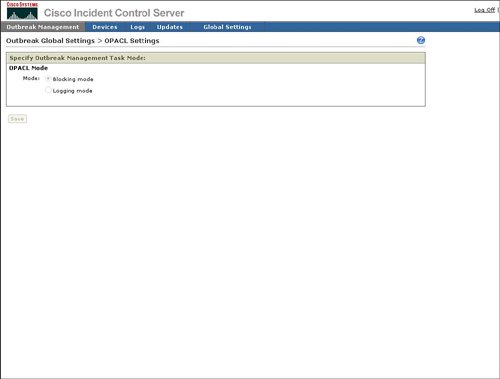 Exception ListThe Exception List provides a mechanism to exclude service fields or ports from OPACL deployment. Cisco ICS provides a default list of commonly used ports, for example HTTP (80), to be excluded from OPACL deployment. Cisco ICS also provides a way to exclude a port range or both TCP and User Datagram Protocol (UDP) parts. The ability to exclude Internet Control Message Protocol (ICMP), or ping, is also provided. An example of how to exclude ports from OPACL deployment is provided in Figure 4-19. Figure 4-19. Exception List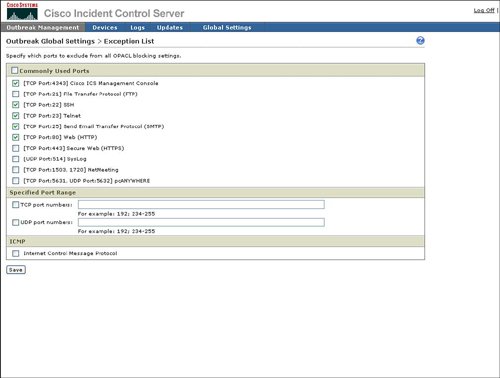 Report SettingsAs indicated in Figure 4-20, Report Settings provides a mechanism to configure the automatic generation or reports and the frequency of report generation. Figure 4-20. Report Settings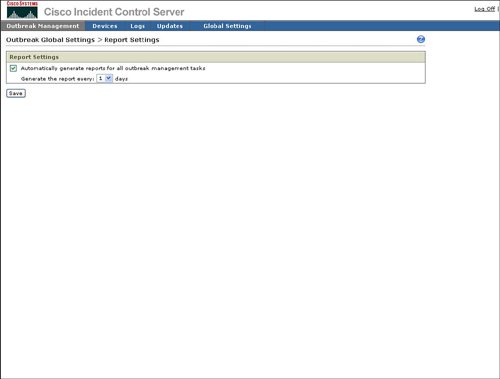 Watch List SettingsThe watch list is intended to indicate which hosts in the network may have been infected by a network attack. Figure 4-21 shows that you can configure the watch list for an IP address or a range of IP addresses. Cisco ICS will use the IPS signatures to determine if a host is sending network traffic that could be due to an infection and will add this host to the watch list. Figure 4-21. Watch List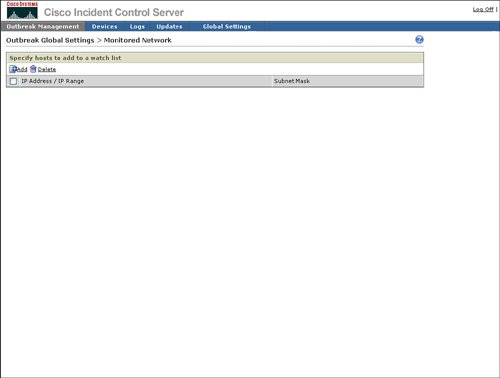 Automatic Outbreak Management TaskThe Outbreak Settings link under Outbreak Management provides a way to access the Automatic Outbreak Management Task configuration. This Automatic Outbreak Management Task configuration specifies whether yellow and red alerts can receive automatic OPACL and OPSig deployment by Cisco ICS or if an operations person must manually review and deploy the OPACLs and OPSigs. The Automatic Outbreak Management Task configuration is identical to Automatic Outbreak Management Task configuration that was displayed earlier in Figure 4-13. |

EAN: 2147483647
Pages: 112