Administering Stories
|
| You may browse the Administration menu for a few moments looking for icons labeled Stories or News or something. You won't find one. PHP-Nuke's author felt that news administration was so important that it appears right on the main Administration menu page, below the menu icons, as shown in Figure 19.4. You'll notice a list of the last 20 articles, allowing you to edit or delete them. If you need to edit or delete an article (see, there I go, calling them articles instead of stories) other than one of the last 20, you'll need to know its ID number. Figure 19.4. Story administration from the Administration menu.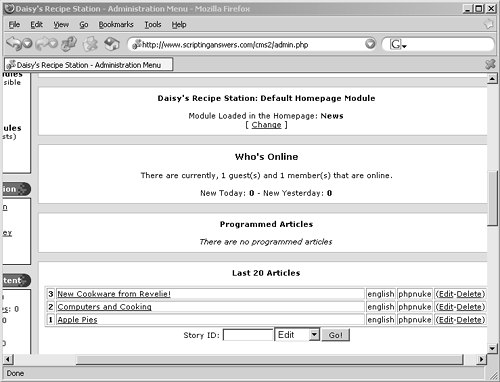 Frankly, the easiest way to find a story's ID number is to go read the story on your site. While you're looking at the story, make a note of the URL shown in your browser's address line. Typically, it'll be something like http://www.scriptinganswers.com/cms2/modules.php?name=News&file=article&sid=3. That last number3, in this caseis the story ID (sid=3). Punch that into the Story ID text box at the bottom of the Administration menu, select either Edit or Delete from the adjacent drop-down box, and you're in business. |
|
