The User s Views
|
The User's ViewsUsers have a few different ways to see the stories on your site. The first, shown in Figure 42.5, is the News module itself, which lists the most recent stories, their lead-in text, and a link to read more. The Topics module, shown in Figure 42.1, shows the same stories organized by topic, although it shows only their headlines. The Stories_Archive module shows stories organized by month, making a larger number of headlines accessible at the same time. Figure 42.5. Viewing news stories in the News module.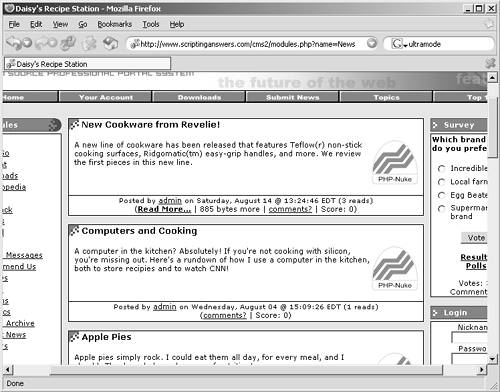 Always remember that your users can have all of these different views available to them, unless you disable the modules that produce these views (disabling Stories_Archive, for example, eliminates the ability for users to see a monthly breakdown of stories). Most important, perhaps, is the ability for a user to always click on a category name, or topic name, or icon to get a list of stories in that category or topic. That ability to cross-link by topic or category makes it important to have a well-thought-out strategy for your topics and categories. |
|
