Examining the Server (JMX ConsoleJMX Console
| The JBoss application server provides a management application that lets you see and manage the services that are deployed and running inside the server. JBoss itself is implemented as a microkernel composed of managed beans (MBeans). The MBeans that are visible provide you a way to manage the resources and applications that are deployed on your application server. This allows you to monitor and modify applications and their usage. You can see what MBeans you have through the JMX Console. The JMX Console organizes the MBeans by the domain, as well by type (service, database, etc.). When you select an MBean you are taken to a page where you can view and edit attributes or invoke the operations of that MBean. Note: You can manage all the JBoss services through the JMX Console. If you provide MBeans for your own services, you will see them here too. How do I do that?You can get to the JBoss JMX Console by going to the main web page (http://localhost:8080) and choosing the JMX Console link. This will take you to the jmx-console web application at http://localhost:8080/jmx-console. When you're there, you'll see something like Figure 1-2. Developer's Notebook 1-2. JMX Console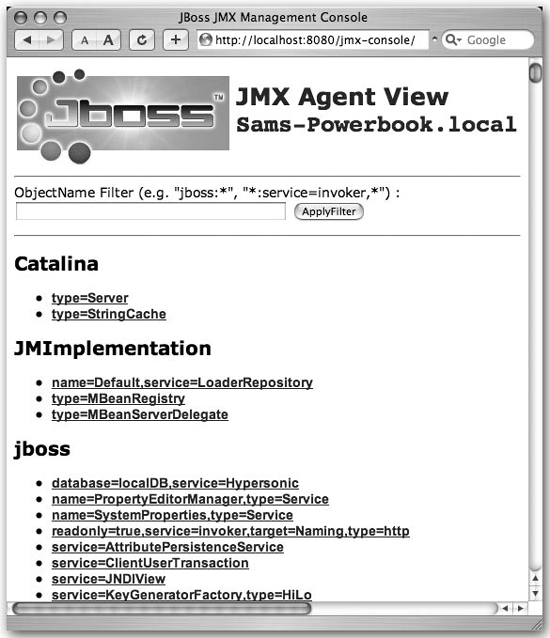 JBoss provides an MBean that allows you to look at your server information. To do that now, scroll down in your browser until you get to the section for the jboss.system domain. You should see a link for this: type=ServerInfo. Choose that link and you'll see the ServerInfo MBean page. It will look something like Figure 1-3. Developer's Notebook 1-3. JMX Console view of ServerInfo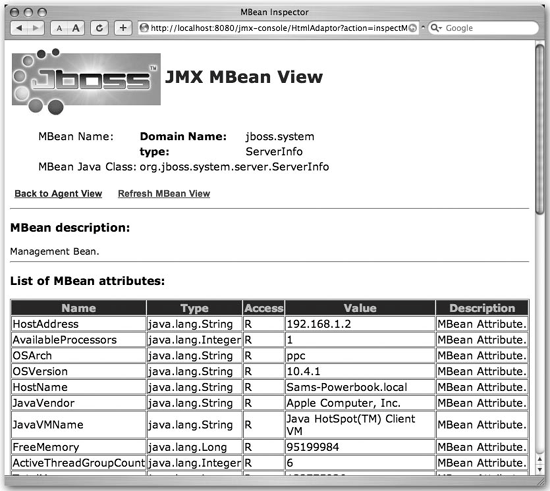 You can see what JVM JBoss is running on top of, what operating system it is running on, etc. That's useful information, especially if you are doing remote monitoring. Note: If you are feeling adventurous, look at some of the other MBeans and see what other types of information are exposed. What just happened?You opened the JMX Console on the JBoss server and viewed the ServerInfo MBean. You also saw that the MBeans are organized according to the domain they are in. While this might not seem like much now, it will come in handy as we work our way through the book. |

EAN: 2147483647
Pages: 106