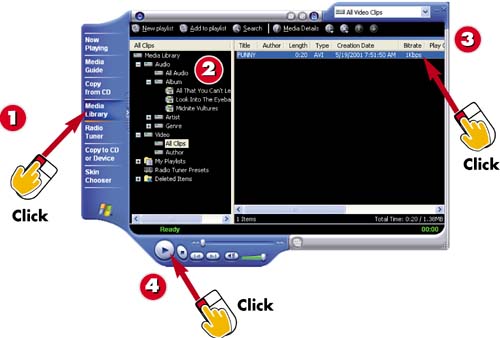
Click the Media Library button from within Windows Media Player.
Expand the Video category.
Select the file you want to play.
Click the Play button.
INTRODUCTION
In addition to playing music, you can also use Windows Media Player to play videos . You can open any video file or select a file from the Media Library to play.
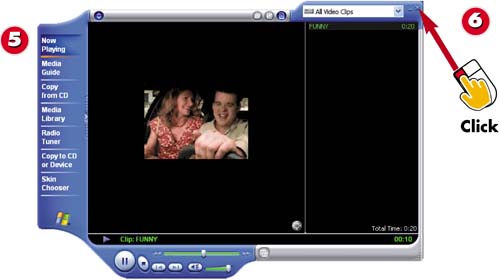
The video is played .
Click the Close button to close Windows Media Player.
TIP
View Online Video Clips
You can also find video clips for viewing at many Web sites. For instance, many movie trailers can be viewed online. Select the video clip to playback and then either open it to play it or save it to your hard disk for playback.