Writing Multiple
|
|
1. |
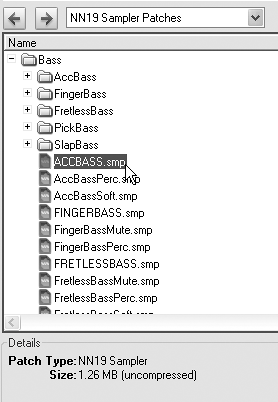
Create a new NN-19 device and load the
NN-19 Patches/Bass/ACCBASS
patch (
Figure 6.11
).
Figure 6.11. Choose a patch from the Reason Factory Sound Bank.
|
|
2. |
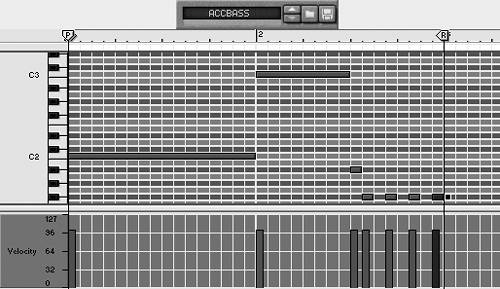
Write a bass part to complement the piano (
Figure 6.12
).
Figure 6.12. Write a bass accompaniment for the piano part.
|
|
3. |
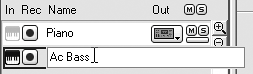
Double-click track names to change them from the default device
Figure 6.13. Edit the default track
|
|
4. |
Click play or press the spacebar to hear your loop, and make any necessary adjustments.
|
|
5. |
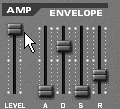
If you need to boost the bass volume, either raise the Amp Level fader on the NN-19 (
Figure 6.14
), or raise the Mixer's Level knob/fader.
Figure 6.14. The amp envelope Level fader
|
|
1. |
Create more NN-19seach will have its own Mixer channel and Sequencer track.
|
|
2. |
Load an instrument patch into each NN-19.
|
|
3. |
Write more tracks, playing and adjusting as necessary.
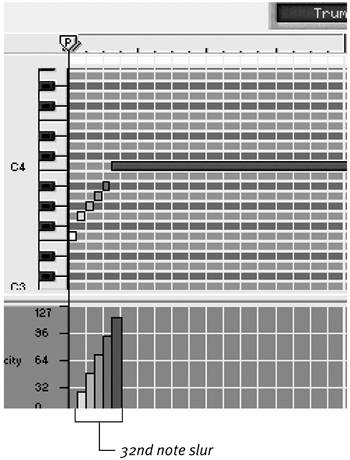
Figure 6.15. My trumpet part begins with a slur.
For the nylon string guitar part, I selected all the notes and lengthened them to create a legato " |
Tip
Writing parts that
Creating Your Own InstrumentsThe simplest way to make your own patch is to load a single sample and start writing. The NN-19's sample browser lets you do this yourself. Though slower than loading patches from the Factory Sound Bank, loading your own instruments breaks the NN-19 instrument barriergiving you access to Redrum drum samples and Orkester instruments. Synths, pads, and abstract sounds will usually work as single-sample patches. To create a single-sample instrument
You can add additional samples to your patch manuallyas many as you need or have the patience for. For example, you could load two or more abstract sounds in a single patch and have them triggered by different keys. (For more on this, see "Using Unpitched Instruments" later in this chapter.) To add an additional sample
|