Flylib.com

Books Software


Enumerating Objects


Enumerating Objects

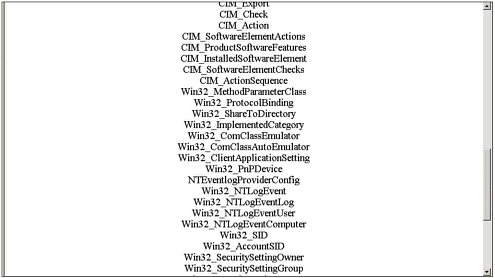
It's easy to enumerate all the objects, such as Win32_LogicalDisk , that are available to you. The third page in my WMI demo program does just this, and can be seen running in Figure 19.4. The reported list of objects is very long, and they won't all fit in a single browser screen ”that's why you can't see all the objects in the figure.

Figure 19.4. All the WMI objects have been enumerated.

graphics/19fig04.gif

The code for the page in Figure 19.4 can be seen in Listing 19.4. The code starts off by creating a new ManagementClass object. It then creates an EnumerationOptions class, and the EnumerateDeep property is set to false. Then, walking through the collection in a for each construct allows you to examine all the objects.

Listing 19.4 Enumerating Through the WMI Objects
ManagementClass newClass = new ManagementClass(); 

EnumerationOptions options = new EnumerationOptions(); 

options.EnumerateDeep = false; 

foreach( ManagementObject o in newClass.GetSubclasses( options ) ) 

{ 

    Response.Write( o["__Class"] + "<br>\r\n" ); 

}


Summary

WMI is a powerful tool for keeping track of applications and servers. It's simple, yet powerful. In this chapter, you've learned the basics of using WMI. You can do even more simply by deciding what you want to do and then using WMI to carry out the task.

At the writing of this book, WMI was in a state of flux. As such, this chapter had to be more an introduction than anything else. By the time the book is on the shelves , I will have many additional examples on www.UsingASP.net. Please check the Web site for more examples.


Chapter 20. Writing for Mobile Devices

In this chapter

Mobile Markup

Mobile Internet Toolkit

Device Emulators

Mobile Web Forms

Mobile Controls

Extending Mobile Controls

Mobile devices, such as Internet-enabled cell phones and personal digital assistants (PDAs), have become increasingly popular because they enable the user to access data and read e-mail from almost anywhere at any time. Although just now becoming popular in the United States, devices such as Internet-enabled cell phones have come into common use in Europe and Japan, to the extent that in Japan, more people access the Internet and read their e-mail with cell phones than with personal computers.

A large number of different types of devices are considered mobile devices. Cell phones generally have the least capability of mobile devices, with displays that are limited in size , often to only two or three lines of monochrome text. Cell phones in Japan generally have better capabilities than those elsewhere in the world. These capabilities include 16-bit color displays, 24-voice sound, e-mail, and a standard 64Kbps data rate. The newer third-generation phones that are already available in Japan have data rates of 384Kbps and are capable of displaying streaming video. Services that are offered on these phones include subscription television, music, and mapping.

Handheld computers are generally on the other end of the mobile device spectrum, with capabilities that rival desktop computers of only a few years ago. Regular HTML pages could be displayed on a handheld computer if it were reformatted for a smaller screen. Handheld computers are likely to continue increasing in power and capability as components continue to decrease in size and cost. PDAs are currently smaller and less capable than handheld computers, but this is changing as PDAs gain capability and handheld computers become smaller and easier to use.

The wide variation of capabilities as well as multiple markup languages make it difficult to develop Web applications that can be used by any mobile device. To aid in the development of mobile Web applications, Microsoft has an add-on module for ASP.NET called The Mobile Internet Toolkit. In this chapter, you will learn about the different types of markup used on mobile devices and how to use Microsoft's Mobile Internet Toolkit to develop applications that can be used on any mobile device.