Section 2.4. Consider Optional Software Packages
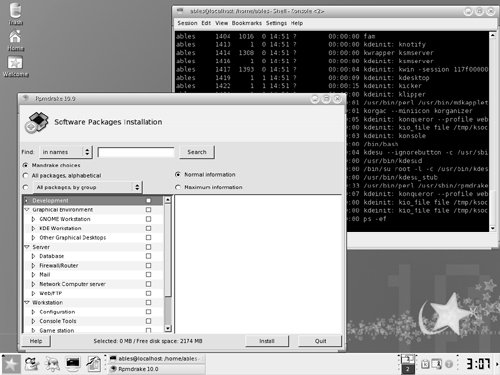
2.4. Consider Optional Software PackagesOnce you decide which distribution you want, you will also want to decide how much of it to install. You don't have to decide on each and every package, either before you begin the installation or even while you install your Linux distribution. You can install additional packages later. There are, however, a few important things you should think about up front in order for the installation to go more smoothly. You should consider things like whether you'll have a graphical workstation or a text-only interface, whether or not you'll be connected to a network, and what kind of work you plan to do with your new Linux system. Of course, you can simply install everything that comes with your distribution if you have the disk space. 2.4.1. X Window SystemThe X Window System is the graphical user interface for Linux-based systems (and is discussed in more detail in Chapter 10, "The Linux Desktop"). Unless you plan to use your Linux system as a server or only for command-line functions, you probably want to install the X Window System. Until mid-2004, XFree86 was the open source version of the X Window System used in most distributions of Linux. Due to changes in the licensing, something to which free software fans are unaccustomed, many distributions have chosen to move to an implementation provided by the X.org Foundation. You may see either package, depending on which distribution or even which version of a distribution you choose to install. It is likely that one or the other will be available, but not both, so if you plan to use your Linux computer as a workstation, plan to install whichever X Window System software is included with the distribution. For more information on open source implementations of the X Window System, see the following web sites:
2.4.2. Desktop EnvironmentsIf you plan to run your Linux system as a graphical workstation, then in addition to the X Window System, you'll want a desktop environment. Where the X Window System provides the basic windowing functions and interfaces to the screen, a desktop environment provides the interfaces that a person uses, like the icons, menus, and toolbars that make up a virtual desktop on the screen. Two desktop environments have emerged as the main players in Linux environments and are now used in many UNIX environments as well: the GNU Object Model Environment (GNOME) and the K Desktop Environment (KDE). Both come with most distributions of Linux, although each distribution generally displays a preference by specifying one it will install by default (e.g., Fedora defaults to GNOME, Mandrake to KDE). Both desktop environments provide a menu bar of useful applications, a status bar showing running processes and other status information, as well as their own unique window applications (such as file managers and window managers). If you have never used either GNOME or KDE, you will probably want to install both (if you have the disk space) and try them. Debate rages over which is "better," and they each have legions of fans. On the surface, they both let your system behave like a "typical" window-based system. The differences are more in the philosophy of the designers and what problems they were trying to address. To greatly oversimplify, many feel GNOME is simple but elegant and KDE is complex but flexible. Which you prefer is largely a matter of personal taste. 2.4.2.1. GNOMEGNOME originally grew from code written for a GNU image library. It is a user desktop as well as a development platform for graphical applications that can be written in a variety of languages. Developers with the GNOME Project have invested a great deal of effort in human interface and usability issues. In the UNIX tradition, it embraces simplicity, providing the basic necessities of a desktop environment, but does not overload the user with options. GNOME is Open Software. Figure 2-3 shows an example of a GNOME desktop. Figure 2-3. A GNOME desktop on Fedora Core Linux.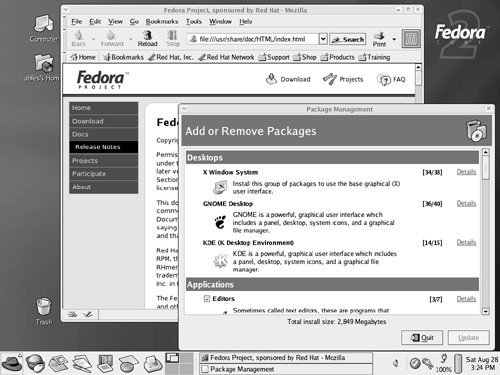 2.4.2.2. KDEKDE is also a user desktop and development platform. It provides more applications specific to the KDE environment and tries to serve more purposes for more types of users. While this gives many users, especially novices, more options and capability, it also makes the desktop environment seem busier. Some people don't like that KDE's roots were in some licensed software, but they have worked hard to remove those restrictions, and today KDE is all Open Software. Figure 2-4 shows an example of a KDE desktop. Figure 2-4. A KDE desktop on Mandrake Linux. |

EAN: 2147483647
Pages: 339