STEP SIX (Seeing More Results)
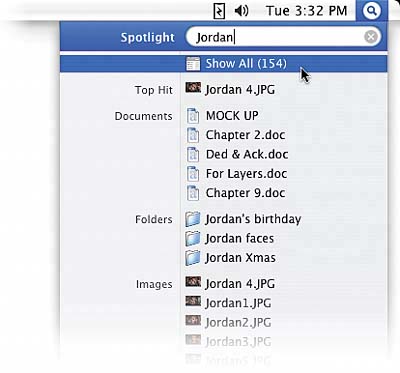
| Now, although the results list only displays the top two matches in each category for your search of the word "Apple," how many total results did Spotlight find? It displays that number at the top of the list (on my iMac, it came up with 5,647 total results). To see all the results, move your mouse cursor over Show All at the top and click. Spotlight will open in its own separate window, displaying all 5,647 results sorted by category (well, it shows the top five results in each category. If you really want to see all the results in each category, after the five that are listed, you'll see a line that reads something like "225 more..." or "48 more..." or however many files are left to view. Click directly on that line of text and you'll see the rest). If you double-click on any of the results in this window, that file will open. If Spotlight has to launch an application for you to see the filedon't worryit'll do it for you. It's like a file-finding concierge.
|

EAN: 2147483647
Pages: 189