Lock Files
A lock file (which should not be confused with file/record locking, an I/O technique covered in Section 4.3) can be used by processes as a way to communicate with one another. The processes involved may be different programs or multiple instances of the same program. The use of lock files has a long history in UNIX. Early versions of UNIX (as well as some current versions) use lock files as a means of communication. Lock files are sometimes found in line printer and uucp implementations . In some systems the coordination of access to password and mail files also rely on lock files and/or the locking of a specific file.
The theory behind the use of a lock file as an interprocess communication technique is rudimentary. In brief, by using an agreed-upon file-naming convention, a process examines a prearranged location for the presence or absence of a lock file. Often the location is a temporary directory (e.g., /tmp ) where the files are automatically cleared when the system reboots (or by periodic housecleaning by the system administrator) and where all users normally have read/write/execute permission. In its most basic form, if the file is present, the process takes one set of actions, and if the file is missing, it takes another. For example, suppose we have two processes, Process_One and Process_Two, that seek access to a single non-shareable resource (e.g., a printer or disk). A lock file-based communication convention for the two processes could be as shown in Figure 4.1.
Figure 4.1. Using a lock file for communication with two processes.
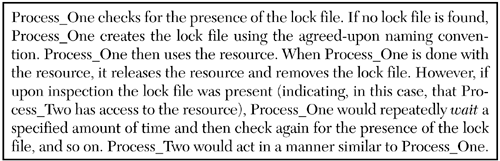
It is clear that communication implemented in this manner only conveys a minimal amount of information from one process to another. In essence, the processes are using the presence or absence of the lock file as a binary semaphore. The file's presence or absence communicates, from one process to another, the availability of a resource.
Such a communication technique is fraught with problems. The most apparent problem is that the processes must agree upon the naming convention for the lock file. However, additional, perhaps unforeseen, problems may arise as well. For example,
- What if one of the processes fails to remove the lock file when it is finished with the resource?
- Polling (the constant checking to determine if a certain event has occurred) is expensive (CPU-wise) and is to be avoided. How does the process that does not obtain access to the resource wait for the resource to become free?
- Race conditions whereby both processes find the lock file absent at the same time and, thus, both attempt to simultaneously create it should not happen. Can we make the generation of the lock file atomic (non-divisible, i.e., non-interruptible )?
As we will see, we will be able to address some of these concerns and others we will only be able to limit in scope. A program that implements communications using a lock file is presented below. The code for the main portion of the program is shown in Program 4.1.
Program 4.1 Using a lock filethe main program.
File : p4.1.cxx
 /*
 Using a lock file as a process communication technique.
 */
 #include
 + #include

 #include "lock_file.h"

<-- 1

using namespace std;
 int
 10 main(int argc, char *argv[ ]){
 int numb_tries, i = 5;
 int sleep_time;
 char *fname;
 /*
 + Assign values from the command line
 */
 set_defaults(argc, argv, &numb_tries, &sleep_time, &fname);
 /*
 Attempt to obtain lock file
 20 */
 if (acquire(numb_tries, sleep_time, fname)) {
 while (i--) { // simulate resource use
 cout << getpid( )<< " " << i << endl;
 sleep(sleep_time);
 + }
 release(fname); // remove lock file
 return 0;
 } else
 cerr << getpid( ) << " unable to obtain lock file after "
 30 << numb_tries << " tries." << endl;
 return 1;
 }
(1) This header resides locally.
At line 7 of the program, the local header file lock_file.h is included. This file (Figure 4.2) contains the prototypes for the three functions set_defaults , acquire , and release , that are used to manipulate the lock file. Preprocessor statements are used in the header file to prevent the file from being inadvertently included more than once.
In line 17 of the main program the set_defaults function is called to establish the default values. Once these values have been assigned, the program attempts to obtain the lock file by calling the function acquire (line 21). If the program is successful in creating the lock file, it then accesses the non-shareable resource. In the case of Program 4.1 the resource involved is the screen. When access to the screen is acquired , the program displays a series of integer values. Once the program is finished with the resource (all values have been displayed), the lock file is removed using the release function.
Figure 4.2 The lock_file.h header file.
File : lock_file.h
 #ifndef LOCK_FILE_H
 #define LOCK_FILE_H
 /*
 Lock file function prototypes
 + */
 void set_defaults(int, char *[], int *, int *, char **);
 bool acquire(int, int, char *);
 bool release(char *);
 #endif
The set_defaults function accepts five arguments. The first two arguments (an integer and an array of character pointers) are the argc and argv values passed to the main program (Program 4.1). As written, the program will allow the user to change some or all of the default values by passing alternate values on the command line when the program is invoked. The remaining three arguments for set_defaults are the number of tries to be made when attempting to generate the lock file, the amount of time to wait in seconds between attempts, and a reference to the name of the lock file.
The acquire function takes three arguments. The first is the number of times to attempt to create the lock file, the second the sleep interval between tries, and the third a reference to the lock file name. The acquire function returns a boolean value indicating its success.
The function release removes the lock file. This function is passed a reference to the lock file and returns a boolean value indicating whether or not it was successful. The code for these functions, which are stored in a separate file, is shown in Figure 4.3.
Figure 4.3 Source code for the set_defaults , acquire , and release functions.
File : lock_file.cxx
 /*
 Source code for using lock file. Compile using -c and

-D_GNU_SOURCE

options. Link object code as needed.
 */
 + #include
 #include
 #include
 #include
 #include
 10 #include
 #include
 const int NTRIES = 5; // default values
 const int SLEEP = 5;
 const char *LFILE = "/tmp/TEST.LCK";
 + using namespace std;
 void
 set_defaults(int ac, char *av[ ],
 int *n_tries, int *s_time, char **f_name){
 static char full_name[PATH_MAX];
 20 *n_tries = NTRIES; // Start with defaults
 *s_time = SLEEP;
 strcpy(full_name, LFILE);
 switch (ac) {
 case 4: // File name was specified
 + full_name[0] = '
File : lock_file.cxx /* Source code for using lock file. Compile using -c and -D_GNU_SOURCE options. Link object code as needed. */ + #include #include #include #include #include 10 #include #include const int NTRIES = 5; // default values const int SLEEP = 5; const char *LFILE = "/tmp/TEST.LCK"; + using namespace std; void set_defaults(int ac, char *av[ ], int *n_tries, int *s_time, char **f_name){ static char full_name[PATH_MAX]; 20 *n_tries = NTRIES; // Start with defaults *s_time = SLEEP; strcpy(full_name, LFILE); switch (ac) { case 4: // File name was specified + full_name[0] = ''; // "clear" the string strcpy (full_name, av[3]); // Add the passed in file case 3: if ((*s_time = atoi(av[2])) <= 0) // Seconds of sleep time *s_time = SLEEP; 30 case 2: if ((*n_tries = atoi(av[1])) <= 0) // Number of times to try *n_tries = NTRIES; case 1: // Use the defaults break; + default: cerr << "Usage: " << av[0] << " [[tries][sleep][lockfile]]" << endl; exit(1); } 40 *f_name = full_name; } bool acquire(int numb_tries, int sleep_time, char *file_name){ + int fd, count = 0; while ((fd = creat (file_name, 0)) == -1 && errno == EACCES) if (++count < numb_tries) // If still more tries sleep(sleep_time); // sleep for a while else 50 return (false); // Unable to generate close(fd); // Close (0 byte in size ) return (bool(fd != -1)); // OK if actually done } + bool release(char *file_name){ return bool(unlink(file_name) == 0); }
'; // "clear" the string strcpy(full_name, av[3]); // Add the passed in file case 3: if ((*s_time = atoi(av[2])) <= 0) // Seconds of sleep time *s_time = SLEEP; 30 case 2: if ((*n_tries = atoi(av[1])) <= 0) // Number of times to try *n_tries = NTRIES; case 1: // Use the defaults break; + default: cerr << "Usage: " << av[0] << " [[tries][sleep][lockfile]]" << endl; exit(1); } 40 *f_name = full_name; } bool acquire(int numb_tries, int sleep_time, char *file_name){ + int fd, count = 0; while ((fd = creat(file_name, 0)) == -1 && errno == EACCES) if (++count < numb_tries) // If still more tries sleep(sleep_time); // sleep for a while else 50 return (false); // Unable to generate close(fd); // Close (0 byte in size) return (bool(fd != -1)); // OK if actually done } + bool release(char *file_name){ return bool(unlink(file_name) == 0); }
At the top of the lock_file.cxx file, the default values are assigned. The set_defaults function examines the number of arguments passed on the command line (which has been passed to it as the variable ac ). A cascading switch statement is used to determine if changes in the default assignments should be made. The set_defaults function assumes the command-line arguments, if present, are arranged as
linux$ program_name numb_of_tries sec_to_sleep lck_file_name
The value for numb_of_tries and the sec_to_sleep should be nonzero. The lck_file_name is the name to be used for the lock file. As written, the set_defaults function does not validate the passed-in lock file location/name but does attempt to disallow values of zero or less for the number of tries and the sleep interval.
The function acquire relies on the system call creat (note there is no trailing e ) to generate the lock file (Table 4.1).
Table 4.1. Summary of the creat System Call.
|
Include File(s) |
|
Manual Section |
2 |
|
|
Summary |
int creat(const char *pathname,mode_t mode); |
|||
|
Return |
Success |
Failure |
Sets errno |
|
|
Lowest available integer file descriptor |
-1 |
Yes |
||
By definition, creat is used to create a new file or rewrite a file that already exists (first truncating it to 0 bytes). The creat system call will open a file for writing only.
creat requires two arguments. The first argument, pathname , is a character pointer to the file to be created, and the second argument, mode , is a value of type mode_t (in most cases defined as type int in the file), which specifies the mode (access permissions) for the created file. The header file contains a number of predefined constants that may be bitwise OR ed to specify the mode for the file. The creat system call in the program function acquire creates a file whose access mode is 0. If creat is successful, the file generated will not have read, write, or execute permission for any user groups (this excludes the superuser root). [1]
[1] As the superuser has special privileges, the lock file implementation shown here would not work for the superuser.
An alternate approach to creating the file would be to use the open [2] system call. The equivalent statement using open would be:
[2] At one time the open system call did not support the O_CREAT (create) option.
open( path, O_WRONLY O_CREAT O_TRUNC, 0 );
If the creat call is successful, it will return an integer value that is the lowest available file descriptor. If creat fails, it returns/sets a -1 and sets errno . Table 4.2 contains the errors that may be encountered when using the creat system call.
As shown, a number of things can cause creat to fail, including too many files open, an incorrectly specified file and/or path name, and so on. The failure we test for in the while loop of the acquire function is EACCES. [3] The failure of creat and the setting of errno to EACCES indicates the file to be created already exists and write permission to the file is denied (remember, the file was generated with a mode of 0).
[3] EACCES is a defined constant found in the header file.
Table 4.2. creat Error Messages.
|
# |
Constant |
perror Message |
Explanation |
|---|---|---|---|
|
2 |
ENOENT |
No such file or directory |
One or more parts of the path to new file do not exist (or is NULL). |
|
6 |
ENXIO |
No such device or address |
O_NONBLOCK O_WRONLY is set, the named file is a pipe, and no process has the file open for reading. |
|
12 |
ENOMEM |
Cannot allocate memory |
Insufficient kernel memory was available. |
|
13 |
EACCES |
Permission denied |
|
|
14 |
EFAULT |
Bad address |
pathname references an illegal address space. |
|
17 |
EEXIST |
File exists |
pathname (file) already exists and O_CREAT and O_EXCL were specified. |
|
19 |
ENODEV |
No such device |
pathname refers to a device special file, and no corresponding device exists. |
|
20 |
ENOTDIR |
Not a directory |
Part of the specified path is not a directory. |
|
21 |
EISDIR |
Is a directory |
pathname refers to a directory, and the access requested involved writing. |
|
23 |
ENFILE |
Too many open files in system |
System limit on open files has been reached. |
|
24 |
EMFILE |
Too many open files |
The process has exceeded the maximum number of files open. |
|
26 |
ETXTBSY |
Text file busy |
More than one process has the executable open for writing. |
|
28 |
ENOSPC |
No space left on device |
Device for pathname has no space for new file (it is out of inodes). |
|
30 |
EROFS |
Read-only file system |
The pathname refers to a file on a read-only filesystem, and write access was requested. |
|
36 |
ENAMETOOLONG |
File name too long |
The pathname value exceeds system path/file name length. |
|
40 |
ELOOP |
Too many levels of symbolic links |
The perror message says it all. |
As noted, the while loop in the acquire function tests to determine if a file can be created. If the file can be created, the loop is exited and the file descriptor is closed (leaving the file present and 0 bytes in length). When the file cannot be created and the error code in errno is EACCES, the if statement in the body of the loop is executed. In the if statement the value for count is tested against the designated number of tries for creating the file. If insufficient tries have been made, a call to sleep , to suspend processing, is made.
sleep is a library function that suspends the invoking process for the number of seconds indicated by its argument seconds . [4] See Table 4.3. If sleep is interrupted (such as by a signal), the number of unslept seconds is returned. If the amount of time slept is equal to the argument value passed, sleep will return a 0. Using sleep in the polling loop to have the process wait is a compromise. It is not an elegant way to reduce CPU- intensive code but, at this point, is better than no built-in wait or running some sort of throwaway calculation loop. In later chapters, we discuss alternate solutions to this problem.
[4] If smaller intervals are needed, there is a usleep (unsigned sleep) library function that suspends execution of the calling process for a specified number of microseconds.
Table 4.3. Summary of the sleep Library Function.
|
Include Files(s) |
Manual Section |
3 |
||
|
Summary |
unsigned int sleep(unsigned int seconds); |
|||
|
Return |
Success |
Failure |
Sets errno |
|
|
Amount of time left to sleep. |
||||
If, in the program function acquire , the number of tries has been exceeded, a FALSE value, indicating a failure, is returned. A boolean TRUE type value is returned if the while loop is exited because the creat call was successful. Additionally, if the creat fails for any other reason, a FALSE type value is returned.
The release function attempts to remove the file using the system call unlink (Table 4.4). This call deletes a file from the filesystem if the reference is the last link to the file and the file not currently in use. If the reference is a symbolic link, the link is removed. In the program the release function is coded to return the success or failure of unlink 's ability to accomplish its task. As written, the main program discards the value returned by the release function.
Table 4.4. Summary of the unlink System Call.
|
Include Files(s) |
Manual Section |
2 |
||
|
Summary |
int unlink(const char *pathname); |
|||
|
Return |
Success |
Failure |
Sets errno |
|
|
-1 |
Yes |
|||
If the unlink system call fails it returns a value of -1 and sets errno to one of the values found in Table 4.5. If unlink is successful, it returns a value of 0.
Table 4.5. unlink error messages.
|
# |
Constant |
perror Message |
Explanation |
|---|---|---|---|
|
1 |
EPERM |
Operation not permitted |
|
|
2 |
ENOENT |
No such file or directory |
One or more parts of pathname to the file to process does not exist (or is NULL). |
|
4 |
EINTR |
Interrupted system call |
A signal was caught during the system call. |
|
5 |
EIO |
I/O error |
An I/O error has occurred. |
|
12 |
ENOMEM |
Cannot allocate memory |
Insufficient kernel memory was available. |
|
13 |
EACCES |
Permission denied |
|
|
14 |
EFAULT |
Bad address |
pathname references an illegal address space. |
|
16 |
EBUSY |
Device or resource busy |
The referenced file is busy. |
|
20 |
ENOTDIR |
Not a directory |
Part of the specified path is not a directory. |
|
21 |
EISDIR |
Is a directory |
pathname refers to a directory (not a file). |
|
26 |
ETXTBSY |
Text file busy |
More than one process has the executable open for writing. |
|
30 |
EROFS |
Read-only file system |
pathname refers to a file that resides on a read-only filesystem. |
|
36 |
ENAMETOOLONG |
File name too long |
pathname is too long. |
|
40 |
ELOOP |
Too many levels of symbolic links |
The perror message says it all. |
|
67 |
ENOLINK |
The link has been severed |
The path value references a remote system that is no longer available. |
|
72 |
EMULTIHOP |
Multihop attempted |
The path value requires multiple hops to remote systems, but file system does not allow it. |
A sample compilation run of the program is shown in Figure 4.4.
Figure 4.4 Output of Program 4.1.
linux$ g++ p4.1.cxx lock_file.o -o p4.1

<-- 1

linux$ p4.1 1 5 & p4.1 2 2 &
24347 4

<-- 2

[1] 24347
[2] 24348
linux$ 24348 unable to obtain lock file after 2 tries.
24347 3
24347 2
24347 1
24347 0
[2] + Exit 1 p4.1 2 2

<-- 3

[1] + Done p4.1 1 5
(1) Compile the program linking in the lock_file object code.
(2) Run the program twice, placing each in the background.
(3) Second instance of the program failed, returning a value of 1. The first instance completed normally.
The program p4.1 is invoked twice. To allow the two processes to execute concurrently, the program invocations are placed in the background (via the trailing & ). The first process creates the lock file and gains access to the screen. This process is responsible for generating the five values (4, 3, 2, 1, 0) that are displayed on the screen. The second process, after two tries with a two-second interval between tries, exits and produces the message Unable to obtain lock file after 2 tries . When each process finishes, the operating system displays the exit/return value. The process that was unable to gain access to the resource exits with a value of 1. It is informative to run the program several times using varying settings. When doing so, you should be able to ascertain whether the lock file really does allow rudimentary communication between the processes involved.
Our example uses the creat system call as the base for its atomic file locking. Unfortunately, creat may generate race conditions on NFS filesystem (network mounted filesystem). The Linux manual page for creat recommends using the link system call as the atomic file locking operation (which it indicates should not cause race conditions in an NFS setting). The link system call is used to generate a hard link to the lock file, giving it new name. With a hard link, the link and the file being linked must reside on the same filesystem. If the stat system call for the file returns a link count of two, then the lock has been successfully implemented (acquired). See Exercise 4-1 for more on using link versus creat .

Programs and Processes
- Introduction
- Library Functions
- System Calls
- Linking Object Code
- Managing Failures
- Executable File Format
- System Memory
- Process Memory
- The u Area
- Process Memory Addresses
- Creating a Process
- Summary
- Key Terms and Concepts
Processing Environment
- Introduction
- Process ID
- Parent Process ID
- Process Group ID
- Permissions
- Real and Effective User and Group IDs
- File System Information
- File Information
- Process Resource Limits
- Signaling Processes
- Command-Line Values
- Environment Variables
- The /proc Filesystem
- Summary
- Key Terms and Concepts
Using Processes
- Introduction
- The fork System Call Revisited
- exec s Minions
- Using fork and exec Together
- Ending a Process
- Waiting on Processes
- Summary
- Key Terms and Concepts
Primitive Communications
- Introduction
- Lock Files
- Locking Files
- More About Signals
- Signal and Signal Management Calls
- Summary
- Key Terms and Concepts
Pipes
Message Queues
- Introduction
- IPC System Calls: A Synopsis
- Creating a Message Queue
- Message Queue Control
- Message Queue Operations
- A ClientServer Message Queue Example
- Message Queue Class
- Summary
- Key Terms and Concepts
Semaphores
- Introduction
- Creating and Accessing Semaphore Sets
- Semaphore Control
- Semaphore Operations
- Semaphore Class
- Summary
- Key Terms and Concepts
Shared Memory
- Introduction
- Creating a Shared Memory Segment
- Shared Memory Control
- Shared Memory Operations
- Using a File as Shared Memory
- Shared Memory Class
- Summary
- Key Terms and Concepts
Remote Procedure Calls
- Introduction
- Executing Remote Commands at a System Level
- Executing Remote Commands in a Program
- Transforming a Local Function Call into a Remote Procedure
- Debugging RPC Applications
- Using RPCGEN to Generate Templates and a MAKEFILE
- Encoding and Decoding Arbitrary Data Types
- Using Broadcasting to Search for an RPC Service
- Summary
- Key Terms and Concepts
Sockets
- Introduction
- Communication Basics
- IPC Using Socketpair
- Sockets: The Connection-Oriented Paradigm
- Sockets: The Connectionless Paradigm
- Multiplexing I/O with select
- Peeking at Data
- Out of Band Messages
- Summary
- Key Terms and Concepts
Threads
- Introduction
- Creating a Thread
- Exiting a Thread
- Basic Thread Management
- Thread Attributes
- Scheduling Threads
- Using Signals in Threads
- Thread Synchronization
- Thread-Specific Data
- Debugging Multithreaded Programs
- Summary
- Nomenclature and Key Concepts
Appendix A. Using Linux Manual Pages
Appendix B. UNIX Error Messages
Appendix C. RPC Syntax Diagrams
Appendix D. Profiling Programs

EAN: 2147483647
Pages: 136
