Section 5.9. Three Useful Panels
5.9. Three Useful PanelsJust below the Source list, iPhoto can display any of three useful panels:
To open one of these panels, click the corresponding button beneath the Source list: the blue Note, too, that you can adjust the relative height of the panel by dragging the gray divider bar just above it, as illustrated in Figure 5-12. The following pages describe all three displays, beginning with the information panel. Figure 5-12. As shown here by the arrows, you can adjust the size of the information panel either horizontally or vertically, just by dragging the gray "metallic" divider bars.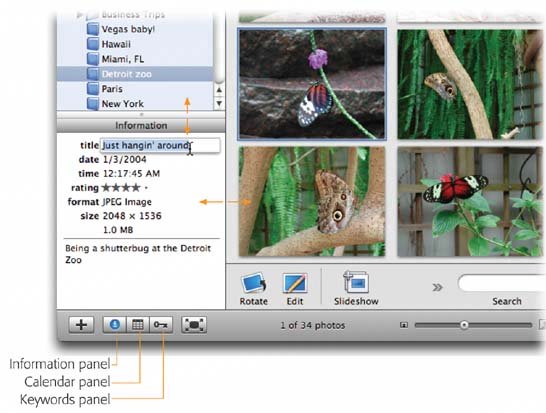 |
 for the Information panel, the tiny grid for the Calendar panel, and the little key for the Keywords panel. (You close the panel by clicking the same button again.)
EAN: 2147483647
Pages: 183