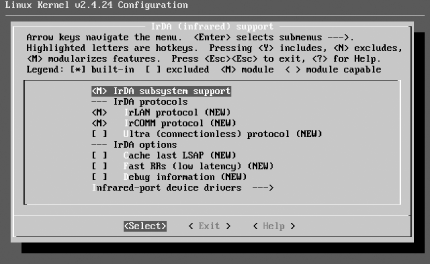
8.2 PC Laptop with Built-In IrDA
There is a lot of hardware out there, and it's all put together slightly differently. We got infrared working under a couple of different distributions, both with a dongle and the internal infrared. Your configuration should be similar, but if you run into any trouble, check out Jean Tourrilhes's Linux-IrDA Quick Tutorial at http://www.hpl.hp.com/personal/Jean_Tourrilhes/IrDA/IrDA.html.
|
To make sure you are up to date with the most recent bug and security fixes, make sure you've installed the most recent updates that are available for your Linux distribution,
especially
for the kernel and associated modules.
|
|
Out of the box, we were unable to get infrared working in SIR or FIR mode on our computer, a ThinkPad A20m. On a whim, we went into the BIOS and tried different IRQ and port settings. The combination of IRQ 4 and port 0x3E8 did the trick. The ThinkPad didn't let us switch from FIR to SIR mode in the BIOS, but it let us use SIR mode without any complaints under several Linux distributions.
On all of the Linux distributions described in the following list, we performed some initial steps to discover the infrared port. First, we
booted
the system, and then inspected the output of
dmesg
to get a list of serial ports:
debian:~#
dmesg grep tty
ttyS01 at 0x02f8 (irq = 3) is a 16550A
ttyS02 at 0x03e8 (irq = 4) is a 16550A
We used this information to figure out which serial devices corresponded to the infrared hardware. If there are a lot of serial devices on your system, this may involve some guesswork or at least a look around the BIOS settings. In this infrared port, we knew that the first serial devices listed (
/dev/ttyS1
) corresponds to the 9-pin serial port on the back of the computer, so that left
/dev/ttyS2
.
In each of the following examples, we rebooted after making the changes to ensure that everything worked. If you'd like to preserve your uptime, try running
/etc/init.d/irda
restart
after making the changes instead of rebooting.
-
-
Debian 3.0r1
-
Because the latest 2.4 kernel-image package (2.4.18-14.1) was showing its age, we compiled and installed the latest kernel from source (2.4.24). Other than that, we worked with a stock 3.0r1 install with the latest updates. To get infrared working, we installed the irda-common and irda-tools packages, and edited
/etc/irda.conf
, setting
IRDADEV=/dev/ttyS2
.
irda-common
sets up
/etc/init.d/irda
to start in all runlevels, so we didn't need to modify any startup scripts. However, Debian did not put our mortal
user
into the correct
group
(
dialout
) to access serial ports, so we fixed that with
usermod
-G dialout
username
.
-
-
SuSE 9.0
-
The
irda
package, which was installed by default, provided all the utilities we needed for IrDA support. We set
IRDA_PORT="/dev/ttyS2
" in
/etc/sysconfig/irda
. Next, we ran
insserv /etc/init.d/irda
to enable IrDA support to start at boot time.
-
-
Mandrake 9.2
-
To get infrared working, we installed the
irda-
utils
package and edited
/etc/sysconfig/irda
, setting
DEVICE=/dev/ttyS2
.
irda-utils
sets up
/etc/init.d/irda
to start in all runlevels, so we didn't need to modify any startup scripts. Mandrake did not put our mortal user into the correct group (
uucp
) to access serial ports, so we fixed that with
usermod -G uucp
username
.
-
-
RedHat 9
-
The
irda-utils
package, which was installed by default, provided all the utilities we needed for IrDA support. We set
DEVICE=/dev/ttyS2
in
/etc/sysconfig/irda
. Next, we ran
chkconfig --level 5 irda on
to enable IrDA support to start in runlevel 5, the default runlevel for Red Hat Linux running in graphical mode (check your
/etc/inittab
to see the default runlevel for your system or use the runlevel command to see your current runlevel). Red Hat did not put our mortal user into the correct group (
uucp
) to access serial ports, so we fixed that with
usermod -G uucp
username
.
-
-
Gentoo 1.4
-
We installed the infrared utilities with
emerge irda-utils
and set
IRDADEV=/dev/ttyS2
in
/etc/conf.d/irda
. Next, we enabled the
irda
startup script with
rc-update add irda default
. The
ircomm
devices were owned by root, so we gave the uucp group access to them with
chgrp
uucp /dev/ircomm*
and
chmod g+rw /dev/ircomm*
, and then gave our mortal user access with
usermod -G uucp
username
.
|