Let s Go Surfin


Let's Go Surfin'!

Okay, now you're ready to launch Internet Explorer and head out to the World Wide Web. Follow these step-by-step instructions for a quick cruise around the Web just to see what's out there:

  1. Connect to your ISP, and then launch Internet Explorer. IE appears on your desk top and displays its default home page. (Typically, this is some page on Microsoft's Web site.)

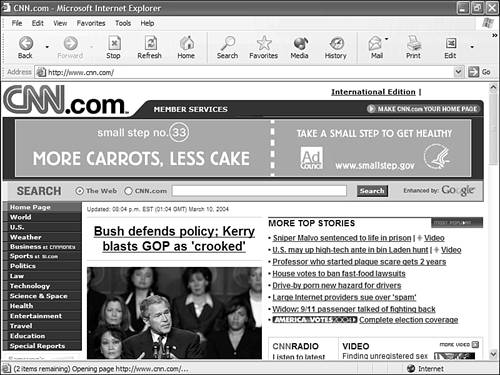
  2. Let's find out what's happening out in the real world by heading over to one of the most popular news sites. Enter www.cnn.com into the Address box, and then click the Go button. This takes you to the CNN.com site, shown in Figure 22.3. Click any headline to read the complete story.

    Figure 22.3. Get informed at CNN.com.

    graphics/22fig03.jpg


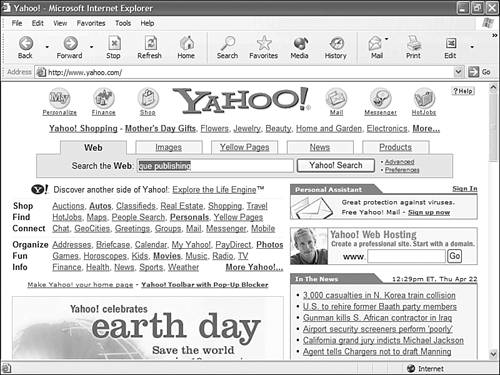
  3. Now, let's do a little searching at Yahoo!, one of the Web's premier search sites. (You can learn more about searching in Chapter 23, "Finding Stuff Online.") Enter www.yahoo.com in the Address box, and then click the Go button. Ready to search? Enter que publishing in the Search the Web box at the top of the page (shown in Figure 22.4), and then click the Yahoo! Search button.

    Figure 22.4. Search for other Web sites at Yahoo!

    graphics/22fig04.jpg


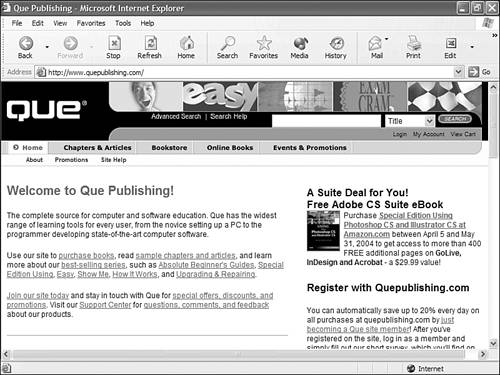
  4. When the search results page appears, find the listing for Que Publishing (should be near the top) and click the link. You now should be taken to the Web site for the publisher of this book (shown in Figure 22.5). Click any link to learn more about Que and the other books they publish.

    Figure 22.5. Learn more about this book's publisher at the Que Publishing Web site.

    graphics/22fig05.jpg


That's your quick surfing tour. You can keep surfing from here, or close Internet Explorer and disconnect from the Internet. As you can see, surfing the Web is as easy as clicking your mouse!

The Absolute Minimum

Here are the key things to remember about surfing the Web:

  • You surf the Web with a program called a Web browser; Internet Explorer is probably the browser installed on your new PC.

  • You can go to a particular Web page by entering the page's address in the Address box and then clicking the Go button.

  • Click a hyperlink on a Web page to jump to the linked page.

  • Use IE's Favorites list to store your favorite Web pages for easy retrieval.

  • Use the Back button or the History pane to revisit recently viewed Web pages.


Absolute Beginner's Guide to Computer Basics
Absolute Beginners Guide to Computer Basics (2nd Edition)
ISBN: 0789731754
EAN: 2147483647
Year: 2003
Pages: 253

flylib.com © 2008-2017.
If you may any questions please contact us: flylib@qtcs.net