Section 2.3. Displaying Slideshows
2.3. Displaying SlideshowsOnce the photos are transferred to your iPod photo, you can view a slideshow of the photos by selecting the photo album that you want to view (see Figure 2-12). Figure 2-12. Viewing photos on your iPod photo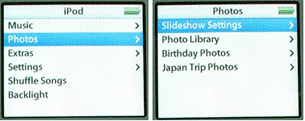 The "Slideshow Settings" menu allows you to set the various options pertaining to slideshows (see Figure 2-13). For example, you can set the number of seconds to display for each slide, the music to play for the slideshow, as well as the type of TV signal to use (PAL or NTSC). Figure 2-13. Setting slideshow options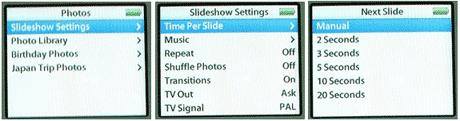
Once a photo album is selected, you will see a series of thumbnails of your photos (see Figure 2-14). You can use the Click Wheel to select the photo you want to view. Figure 2-14. Selecting the photo to view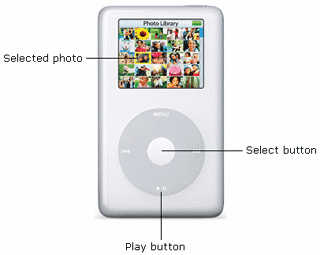 There are two things you can do here:
Figure 2-15. Starting a slideshow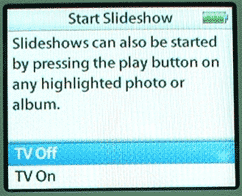 Select TV Off if you want to view the slideshow on the iPod photo. Select TV On if you are displaying the slideshow on a TV. 2.3.1. Using background music for slideshowsYou can set background music to go along with your slideshow. In the "Slideshow Settings" screen, select Music. Select the playlist that you want to use (see Figure 2-16).
Figure 2-16. Selecting slideshow music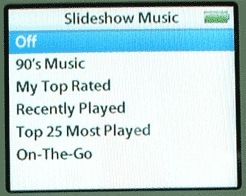 Your slideshow will now display accompanied by the songs in the selected Playlist.
Figure 2-17. Creating your own Playlist in iTunes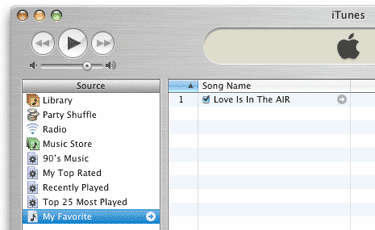 |

